Editing your organisation
Update your academy details, branding, and settings anytime with ease
Written by Swathi N
Keeping your organisation details up to date ensures your academy looks professional and runs smoothly on Lynk Tower.
Why Edit Your Organisation?
You may need to update your organisation to:
Change your academy name
Update or add a logo
Keep your branding consistent
Make corrections to existing details
Steps to Edit Your Organisation
1. Go to the Organisations Tab
Log in to Lynk Tower
Click on Organisations from the left sidebar
2. Select the Organisation
Find the organisation you want to update
Click on the Edit button on the organisation card
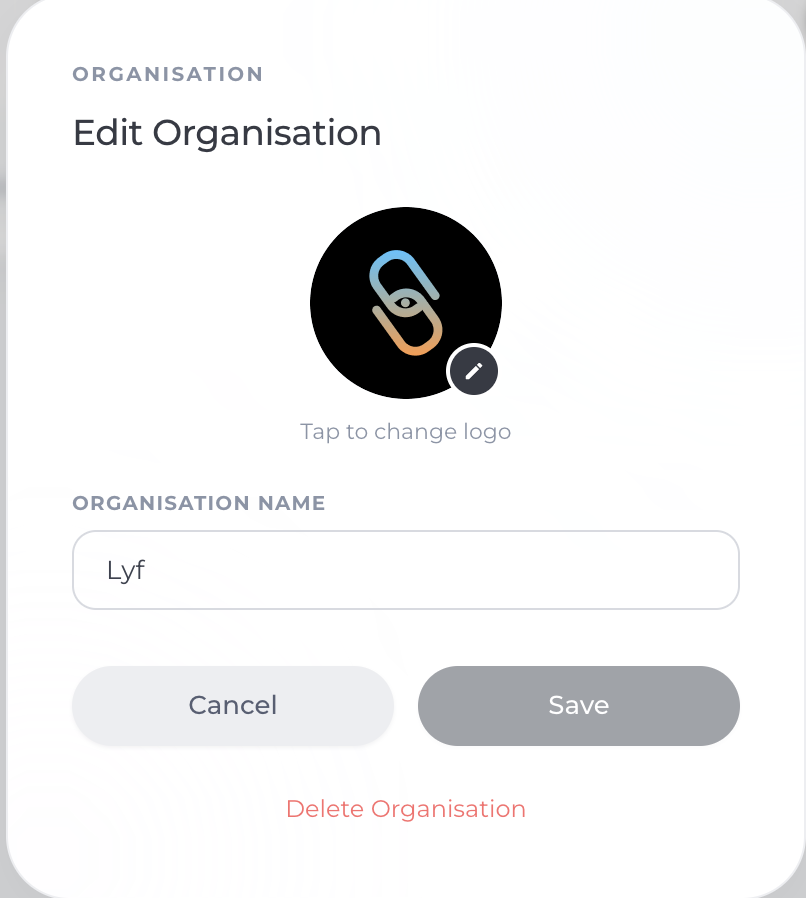
3. Update Organisation Details
In the edit window, you can:
Change Organisation Name
→ Update your academy name if needed
Update Logo
→ Click on the logo icon to upload or change your logo
4. Save Changes
Click on Save to apply the updates
Your changes will be reflected instantly
Pro Tips
Keep your organisation name clear and professional
Use a high-quality logo for better brand visibility
Regularly review your details to keep everything up to date
Conclusion
Editing your organisation in Lynk Tower is quick and flexible, allowing you to keep your academy information accurate and professional at all times. With just a few clicks, you can ensure your setup reflects your brand perfectly and stays up to date as your academy grows.