Managing individual sessions: Substitutes and Time Changes
How to update the timing of a specific session or assign a substitute coach for an upcoming class.
Written by Swathi N
Sometimes you may need to make adjustments to a specific session within a batch without changing the entire batch schedule. In Lynk Tower, you can manage individual sessions through the Manage option, where you can edit the session time for a particular day or assign a substitute coach when needed.
This allows you to handle schedule changes or coach availability without modifying the full batch schedule.
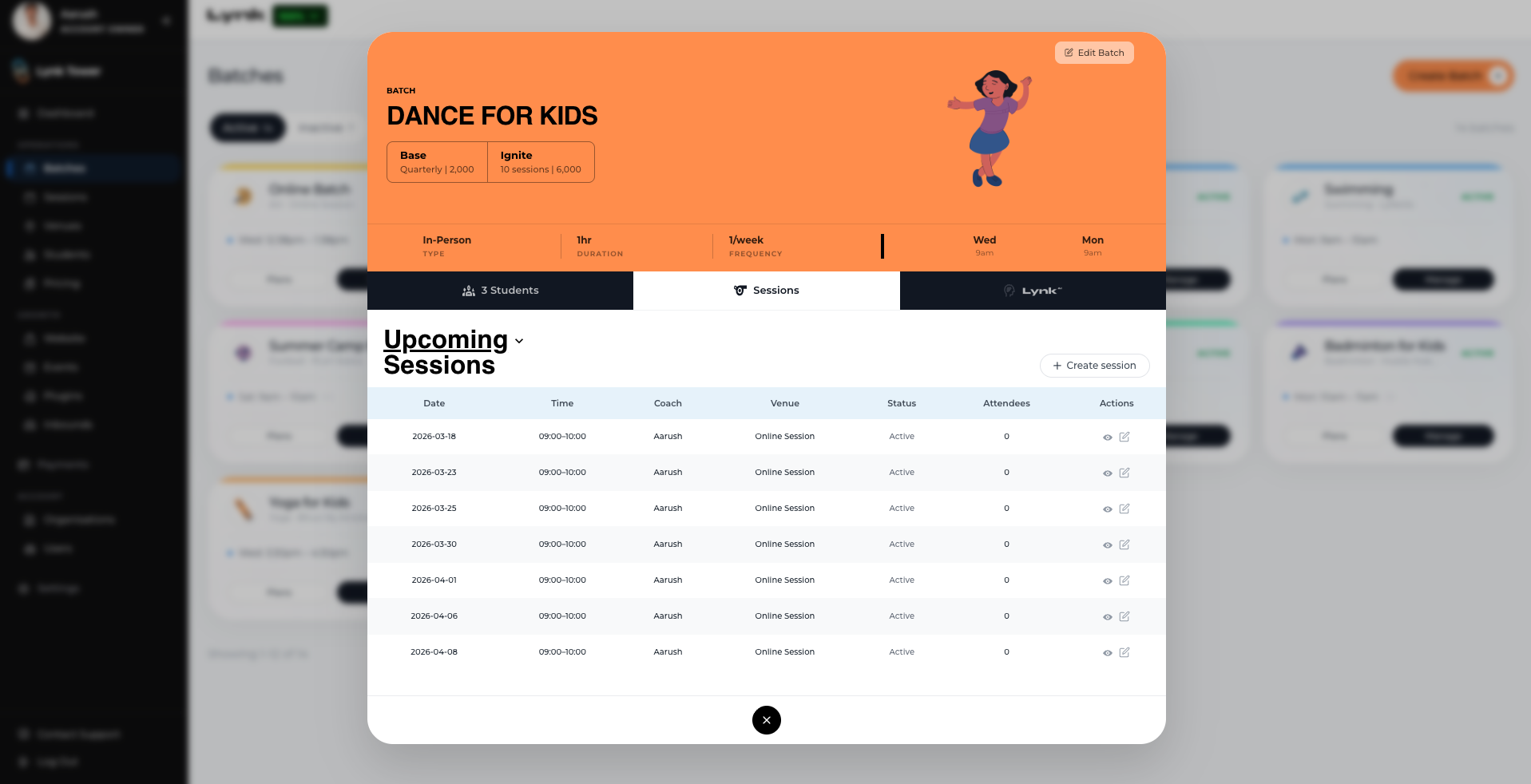
Accessing Upcoming Sessions
To manage a specific session within a batch:
Go to the Batches tab in Lynk Tower.
Select the batch you want to manage.
Click the Manage button.
This will open the Upcoming Sessions view, where you can see the list of all scheduled sessions for that batch.
Editing the Time for a Single Session
If a particular session needs to be moved to a different time, you can update it without affecting the rest of the batch schedule.
Steps to Edit Session Time
Open the Upcoming Sessions list.
Locate the session you want to modify.
Click Edit Time.
Select the new start and end time for that session.
Save the changes.
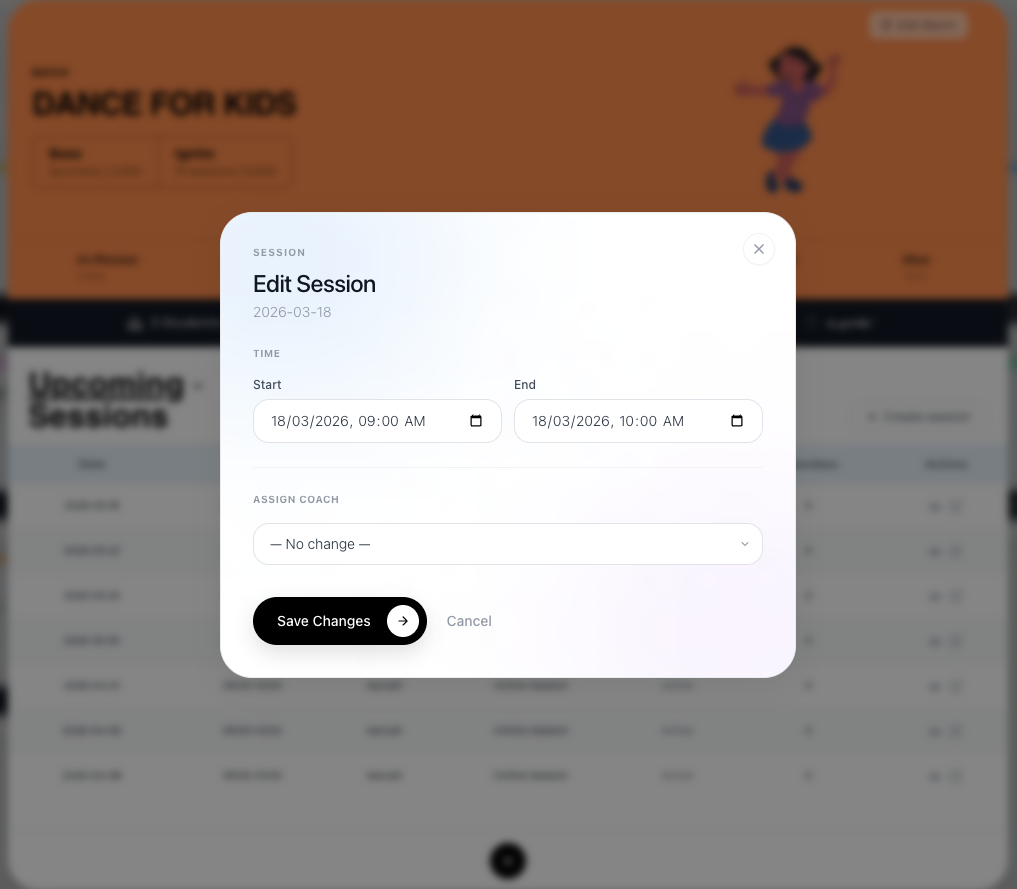
This change will apply only to that specific session, while other sessions in the batch will continue following the original schedule.
Assigning a Substitute Coach
If the regular coach is unavailable for a particular session, you can assign another coach to conduct that class.
Steps to Assign a Substitute Coach
Go to the Upcoming Sessions section.
Find the session that requires a substitute.
Click Assign Coach.
Select the substitute coach from the list.
Save the changes.
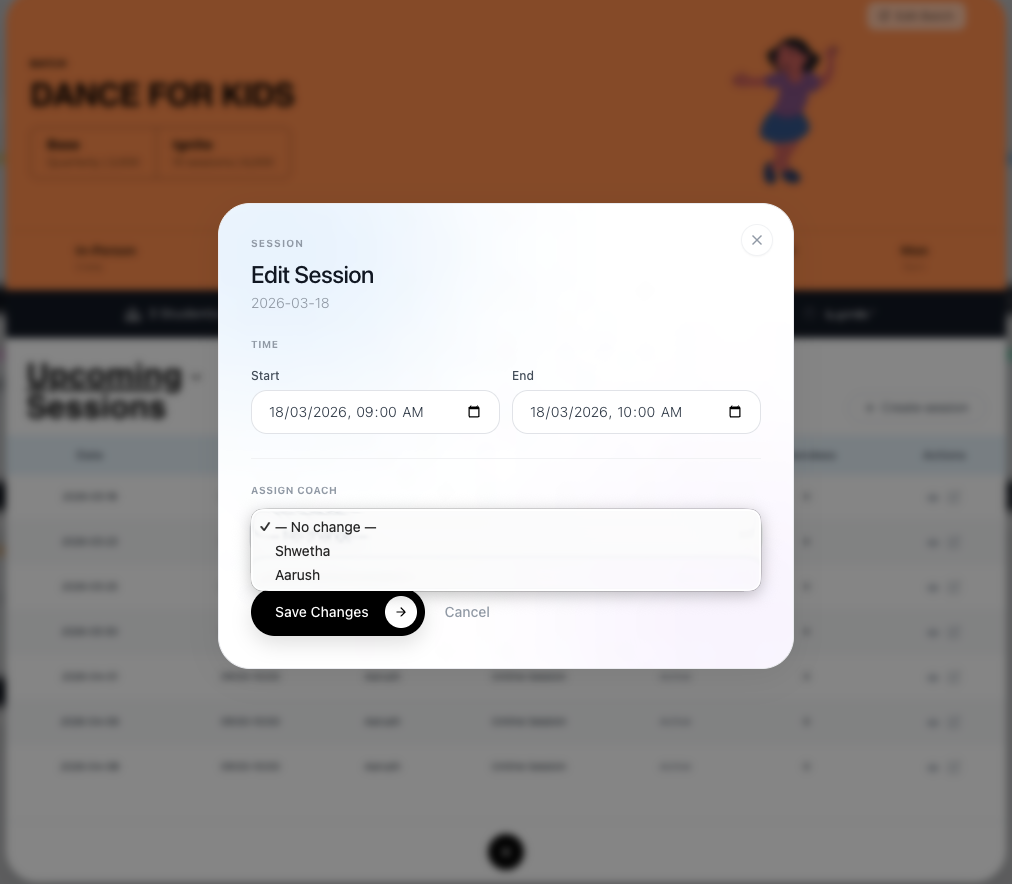
The selected coach will conduct that session instead of the originally assigned coach.
Note: The Assign Coach option is available only for Organization batches. For Self batches, the coach is automatically assigned and cannot be changed.
When to Manage Individual Sessions
Managing individual sessions is helpful when:
A coach is unavailable for a specific class
A session needs to be moved to a different time
A temporary substitute coach needs to conduct the session
This allows you to adjust a single session without affecting the entire batch schedule.
Conclusion
The Manage Sessions feature in Lynk Tower allows you to handle temporary changes within a batch, such as adjusting the timing of a specific session or assigning a substitute coach. This flexibility ensures that your sessions can continue smoothly even when there are last-minute schedule or availability changes.