How reports are viewed or shared
Progress reports can be previewed, viewed, and shared directly from within the batch or session context.
Written by Sumit Kapoor
Introduction
Progress reports in Lynk are designed to be easy to access, review, and share—without leaving the flow of coaching. Once a report is generated, it remains connected to the batch and student it was created for, making it simple to track, revisit, and communicate progress with parents or learners.
Reports can be viewed inside the app and shared only when the coach chooses to do so.
Where Reports Can Be Accessed
From the Batch Card
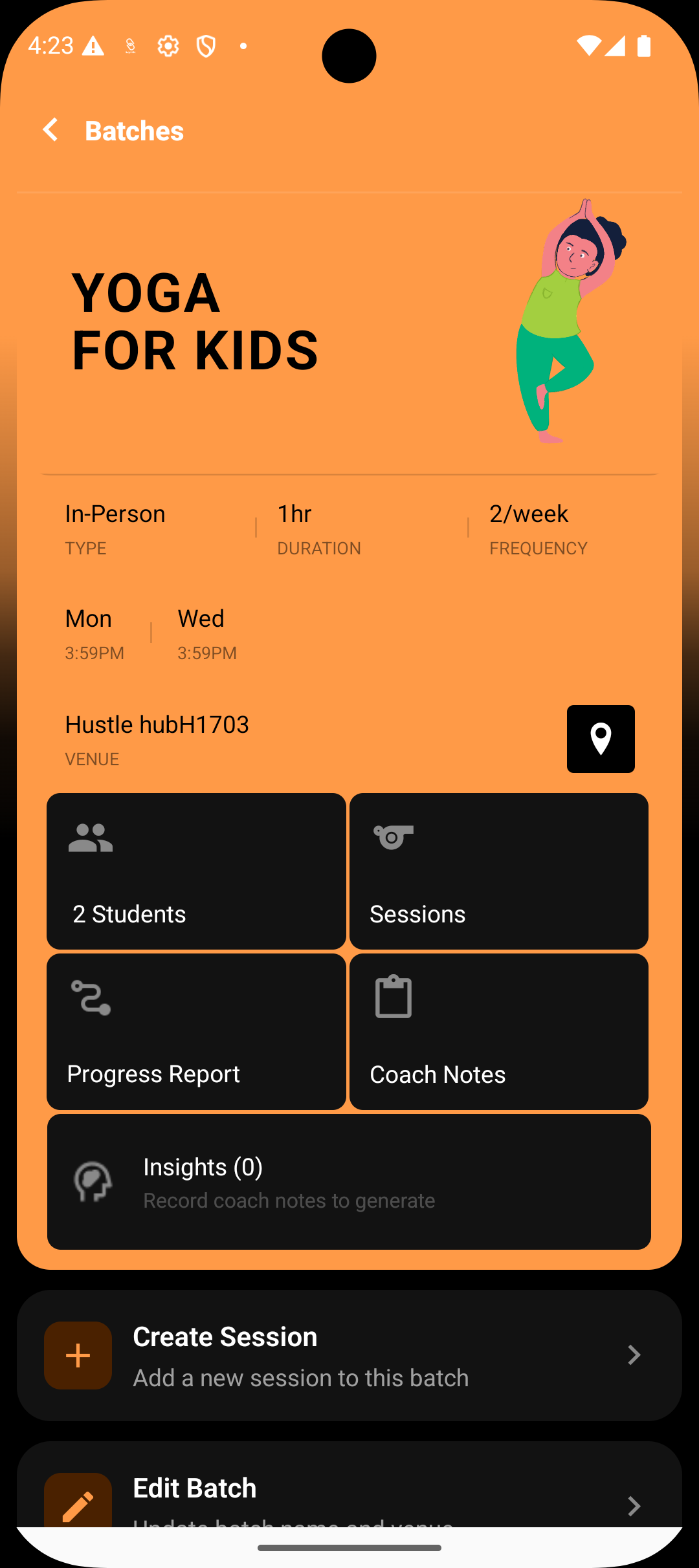
Coaches can open the Progress Report section from the batch card.
All enrolled students in the batch are listed
Each student shows the status of their most recent report
This view allows quick access across the entire batch
From the Session Card
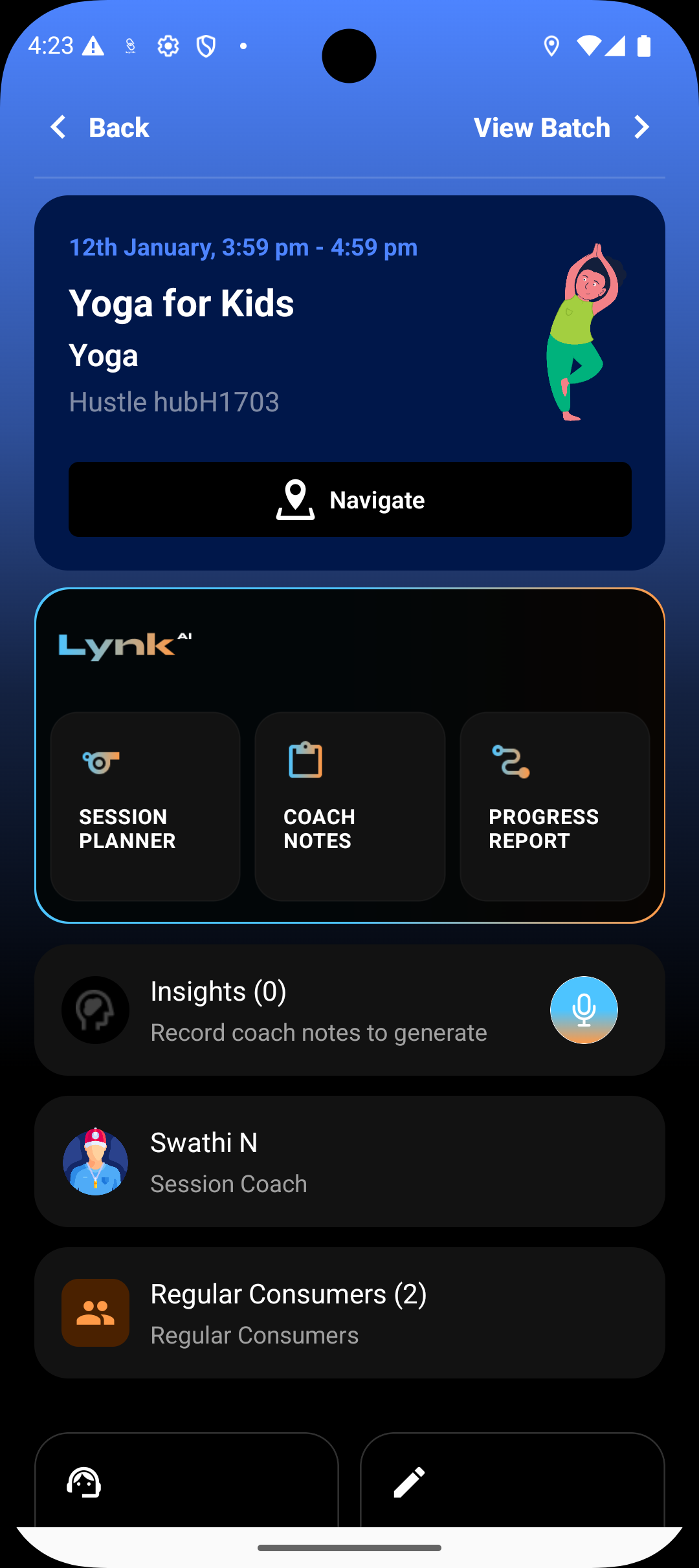
Reports can also be accessed from a specific session card.
Useful when reviewing progress tied to recent sessions
Keeps session context visible while checking reports
Both entry points lead to the same report viewing experience.
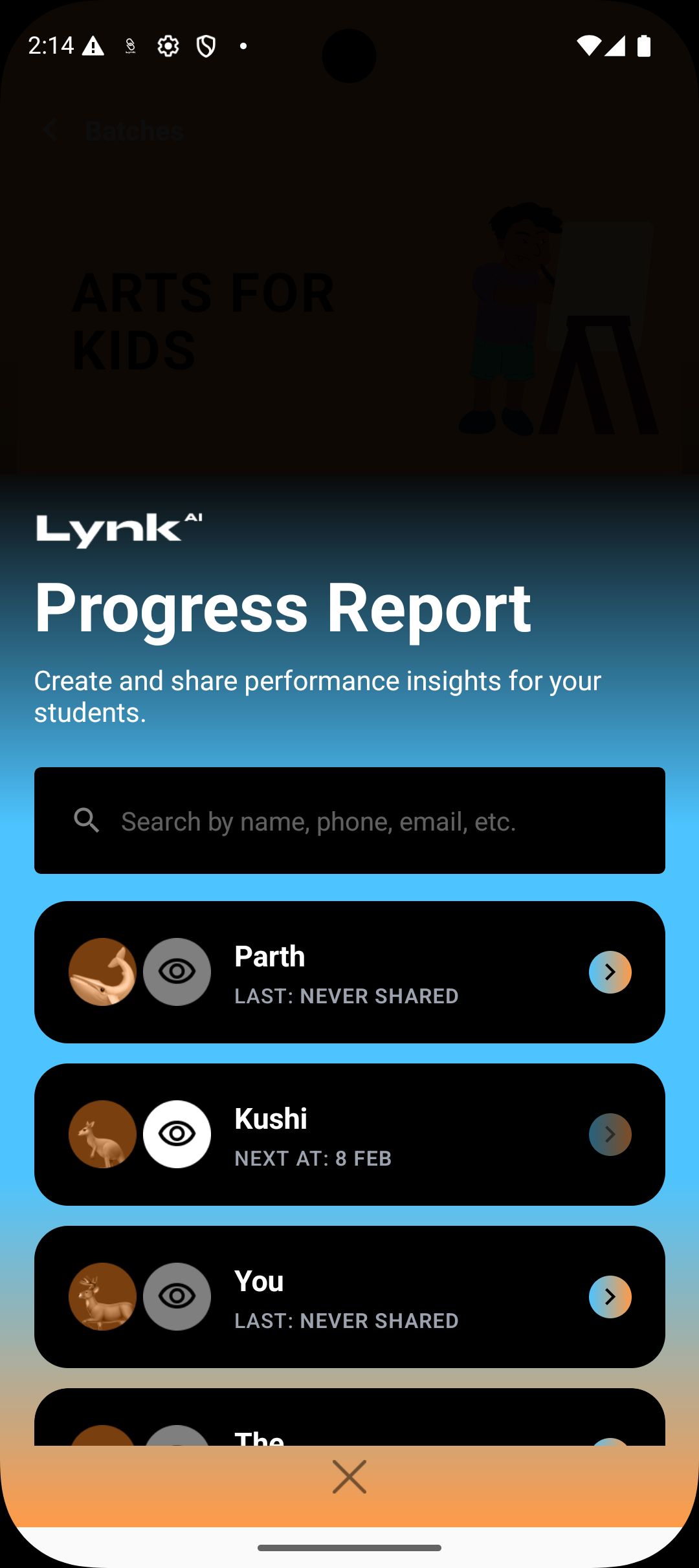
Viewing a Student’s Report
Each student row includes an eye icon
Tapping the eye icon opens the progress report for that specific child
Reports become viewable once they have been shared
This ensures reports are only accessed after they are finalized.
Previewing Before Sharing
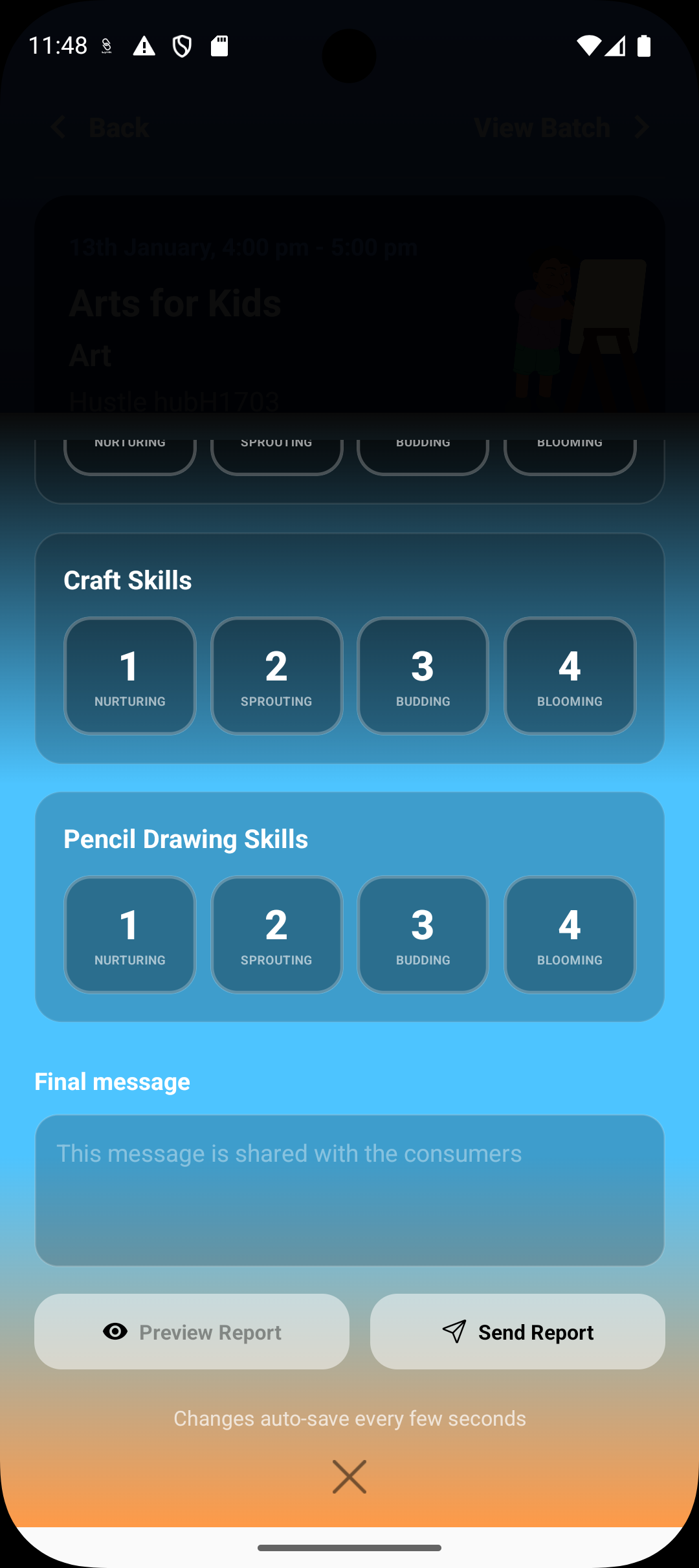
Before sending a report, coaches can:
Preview the full progress report exactly as it will appear
Review holistic and technical skills, along with the coach message
Confirm clarity, tone, and accuracy
Previewing helps ensure the report reflects the coach’s intent before it reaches parents or students.
Sharing the Report
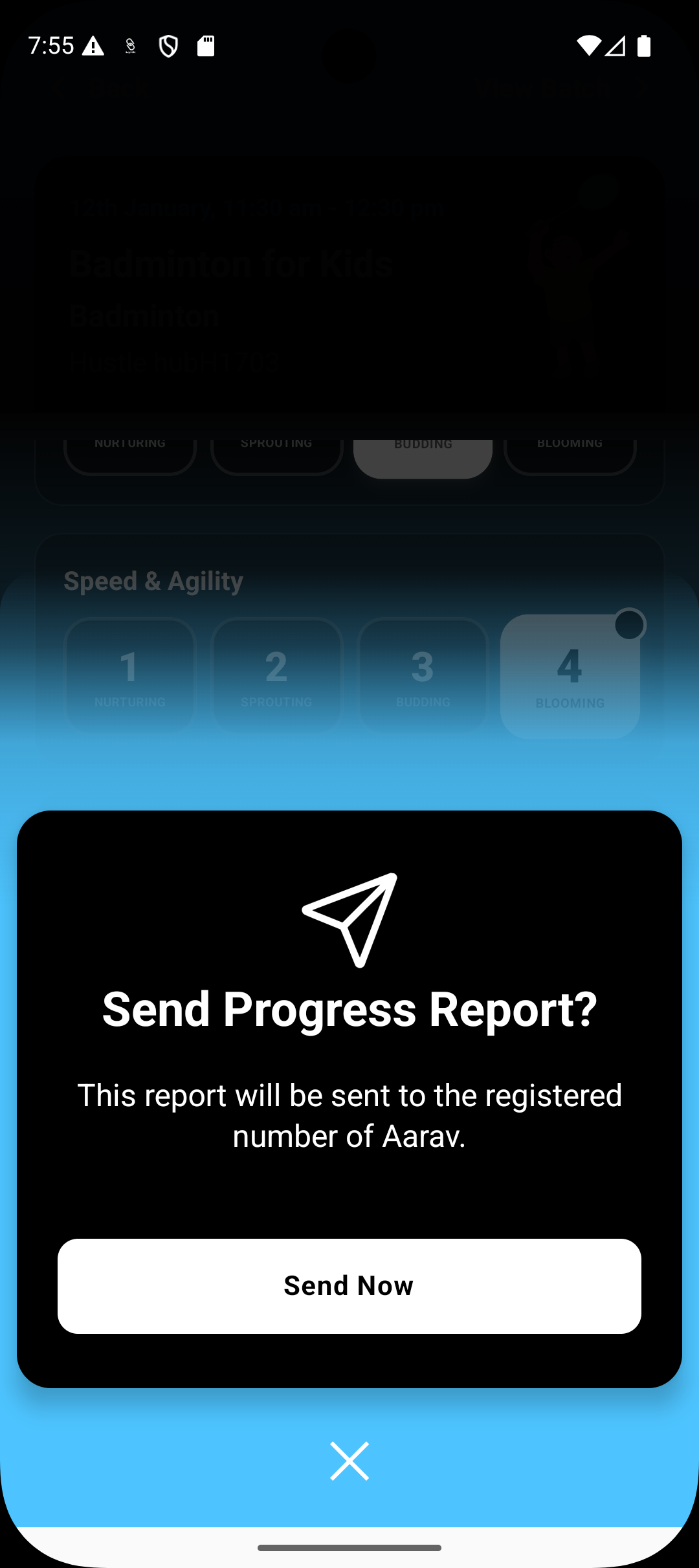
Once reviewed, the coach can share the report directly from the preview screen
The report is sent to the student’s registered contact details
Sharing is a deliberate action—reports are never sent automatically
This gives coaches full control over when and how reports are communicated.
Summary
Lynk makes progress reports easy to manage without breaking workflow. Coaches can view reports from either the batch or session card, preview them before sharing, and send them only when ready. With clear access points and controlled sharing, reports remain accurate, intentional, and meaningful for both students and parents.