What batch details can be edited
You can change the operational parts of a batch without rebuilding it from scratch. Things that you can change are venue, name, schedule and assigned coach
Written by Sumit Kapoor
Editable Batch Details
Once a batch is created, Lynk allows you to edit the following elements:
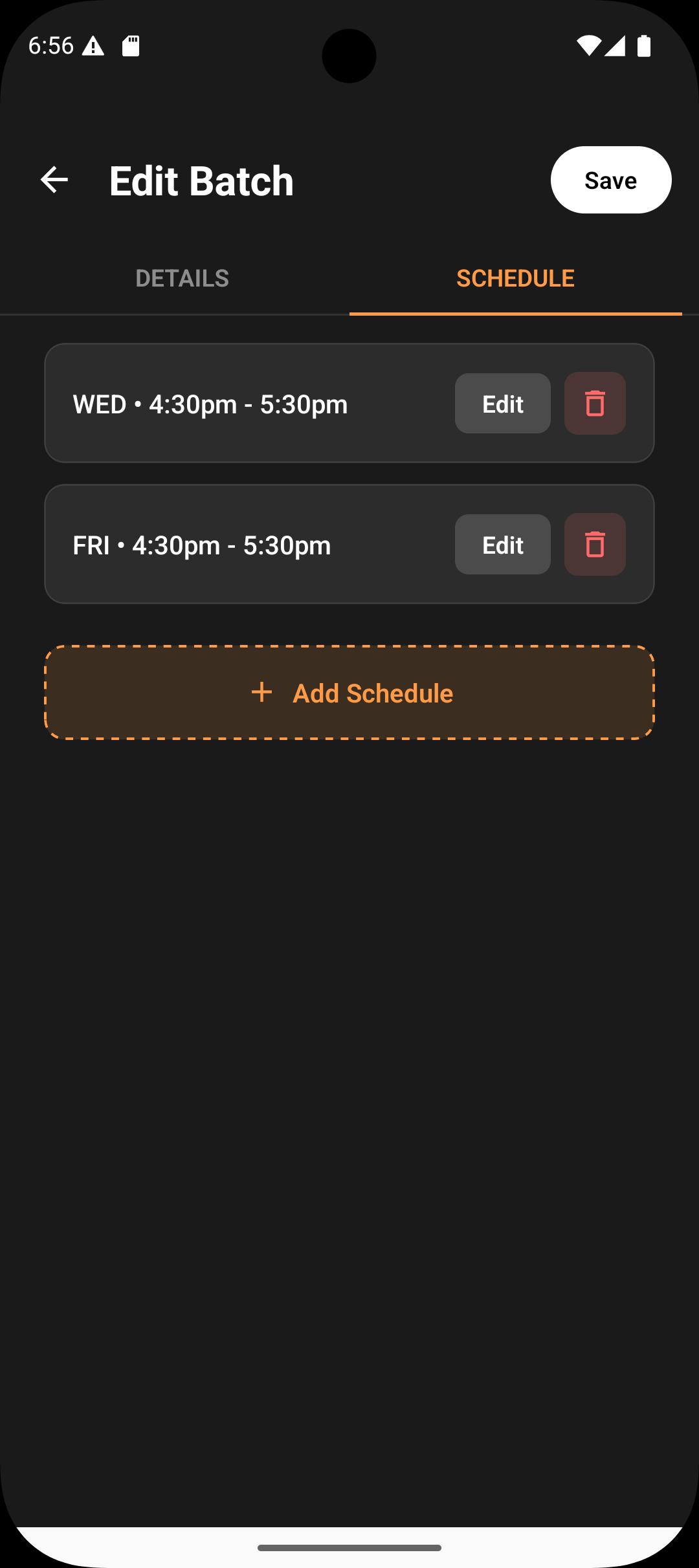
1. Schedule
Modify days and time slots from the Schedule tab.
Changes apply to upcoming and future sessions only.
Past sessions remain unchanged for accuracy and reporting.
2. Venue
Update the physical venue.
Venue changes reflect on future sessions.
For online batches, sessions continue to carry the automatic Google Meet link.
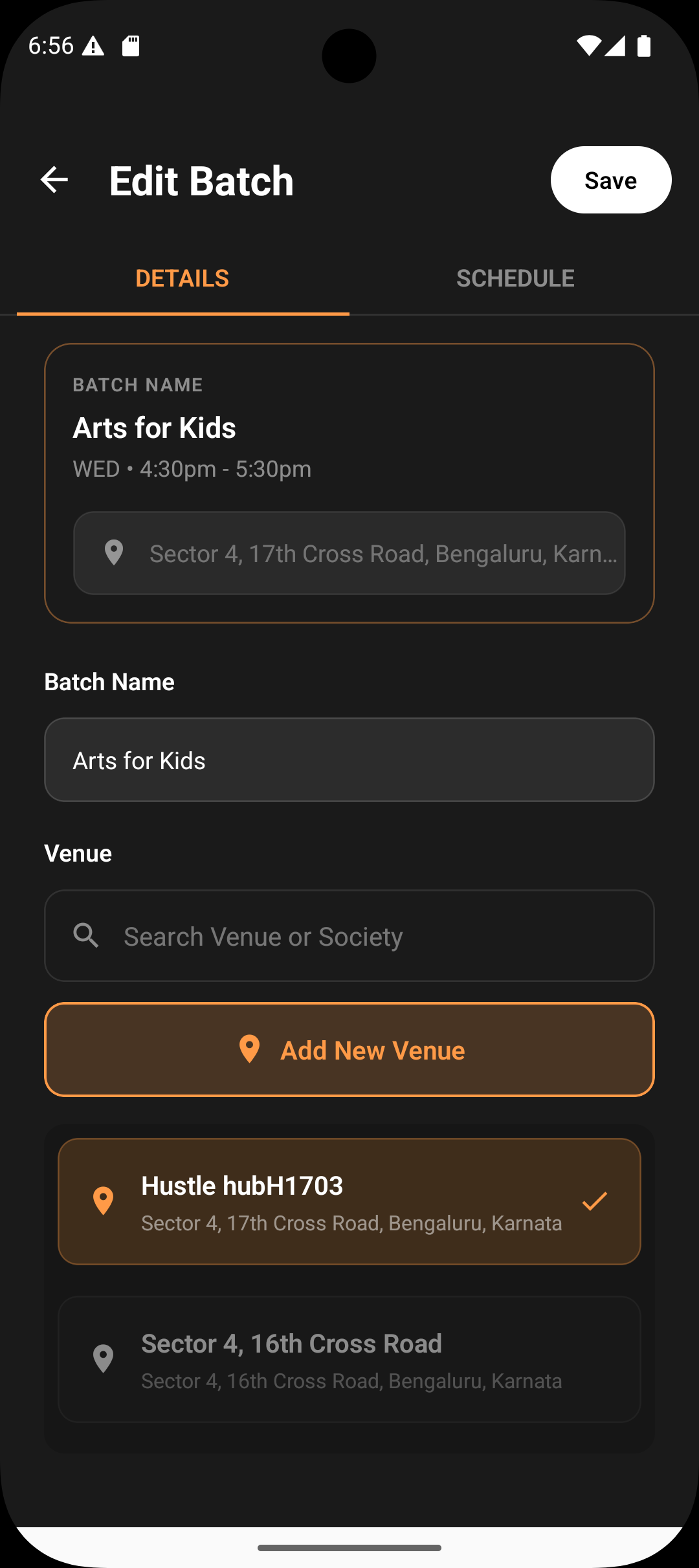
3. Batch Name
Rename the batch to reflect changes in:
Course level
Timing
Group context
The updated name appears across sessions, reports, and dashboards.
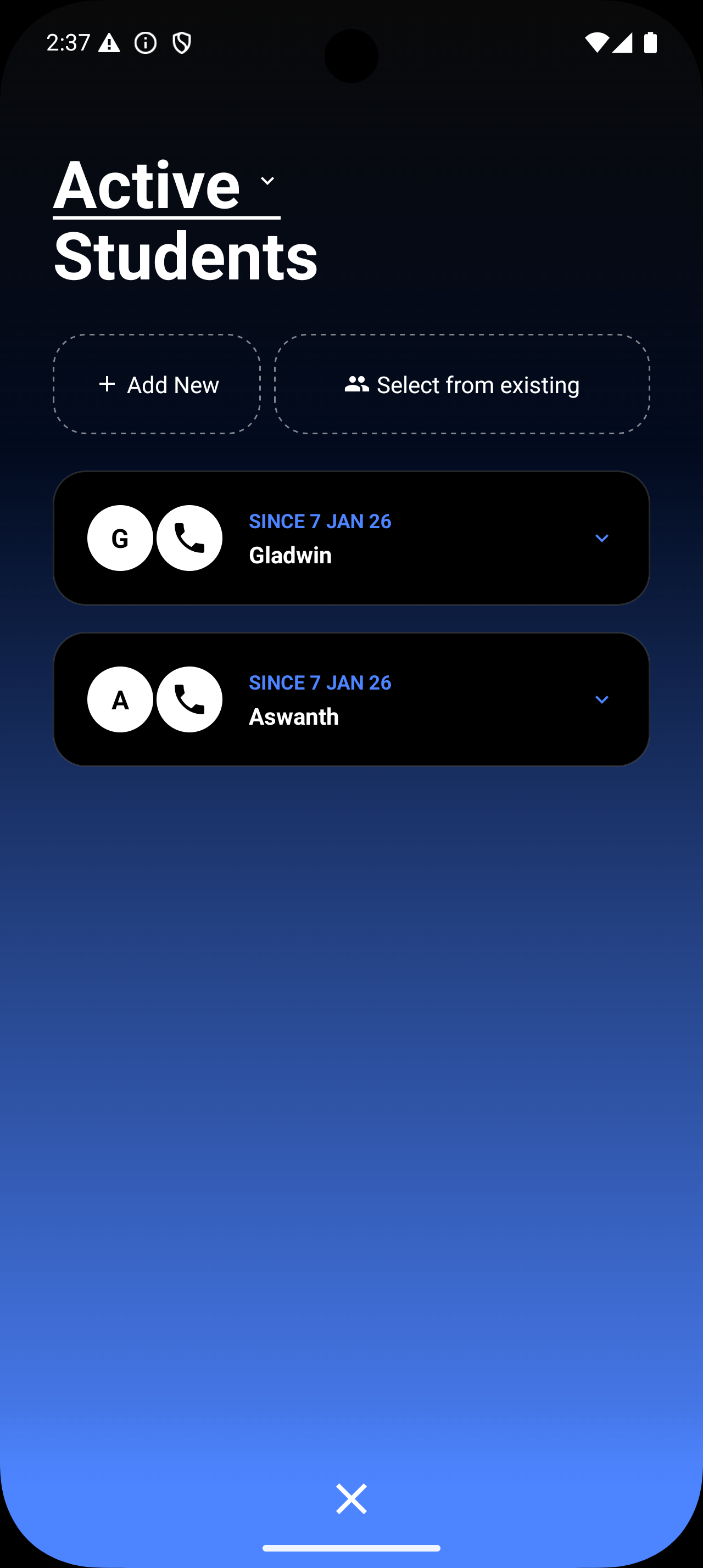
4. Students
Add or remove students
Updates affect:
Attendance lists
Progress tracking
Communication and reports going forward
Past attendance records remain intact.
What Doesn’t Change Automatically
Historical session data
Past attendance and progress records
Completed session reports
This ensures data consistency while still giving you flexibility to adapt your batch as things evolve.