Adding social proof with Testimonials
Display feedback from students and parents on your storefront.
Written by Swathi N
Testimonials help build trust by showing positive experiences from students and parents. In Lynk Tower, the Testimonials section allows you to highlight feedback directly on your storefront so visitors can see how your programs have helped others.
You can manually add testimonials, include the author’s name, and upload avatar images to make the feedback more personal and credible.
Adding a Testimonial
To add testimonials to your storefront:
Go to Store Builder in Lynk Tower.
Click Open Editor for the storefront you want to edit.
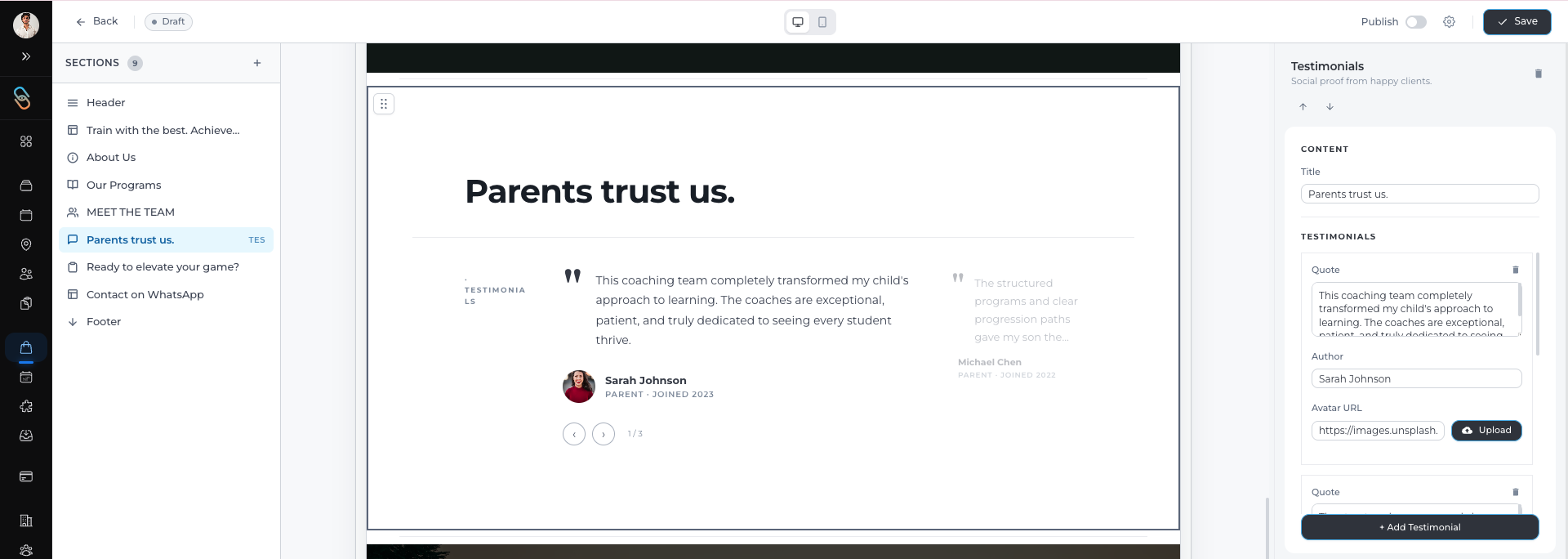
In the Sections panel, select the Testimonials section.
Click Add Testimonial in the right panel, if you want multiple testimonials.
Once selected, a form will appear where you can enter the testimonial details.
Entering Testimonial Details
When adding a testimonial, you can provide the following information:
Quote or Feedback – The message shared by the parent or student.
Author Name – The name of the person who gave the feedback.
Avatar Image – Upload a profile image for the author.
Adding an avatar image helps make the testimonial appear more authentic and engaging for visitors.
Adding Multiple Testimonials
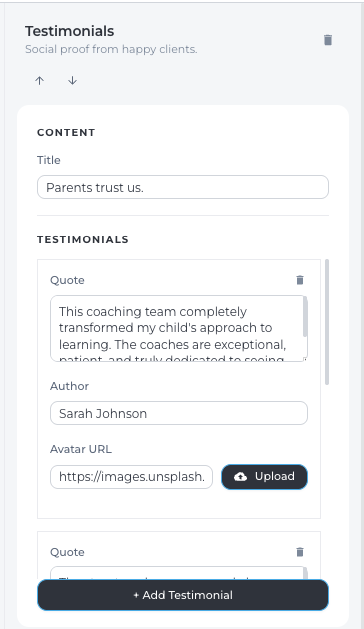
You can showcase feedback from multiple students or parents.
To do this:
Click Add Testimonial after saving the first entry.
Enter the details for the next testimonial.
Repeat this process for as many testimonials as you want to display.
Displaying several testimonials can strengthen credibility and highlight different experiences with your academy.
Tips for Effective Testimonials
When adding testimonials, consider the following tips:
Use short and clear quotes that highlight real experiences.
Include the author’s name whenever possible.
Add images or avatars to make the testimonials more relatable.
Select feedback that showcases different programs or coaching experiences.
Conclusion
The Testimonials section in Lynk Tower helps build confidence among potential students and parents by showcasing real feedback. By adding quotes, author details, and images, you can create a strong social proof section that highlights the value of your academy’s programs.