How leads are converted into students
Lead conversion turns an enquiry into a real, billable student in Lynk. Once converted, they leave the enquiry pipeline and enter the core system—where batches, sessions, attendance, and payments apply.
Written by Sumit Kapoor
What Does “Converting a Lead” Mean?
Converting a lead creates a student record in Lynk.
A student is a formal entity that can:
Be enrolled into batches
Attend sessions
Have attendance tracked
Be billed and make payments
Appear in reports and AI insights
Until conversion happens, a lead cannot participate in any of these workflows.
When a Lead Should Be Converted
A lead should be converted when:
The person confirms interest in joining
You are ready to enroll them into a batch
Classes, format, or start date are agreed upon
You want to initiate billing or onboarding
Conversion should not be done for tentative or exploratory enquiries.
Step-by-Step: How to Convert a Lead into a Student
Step 1: Open the Lead
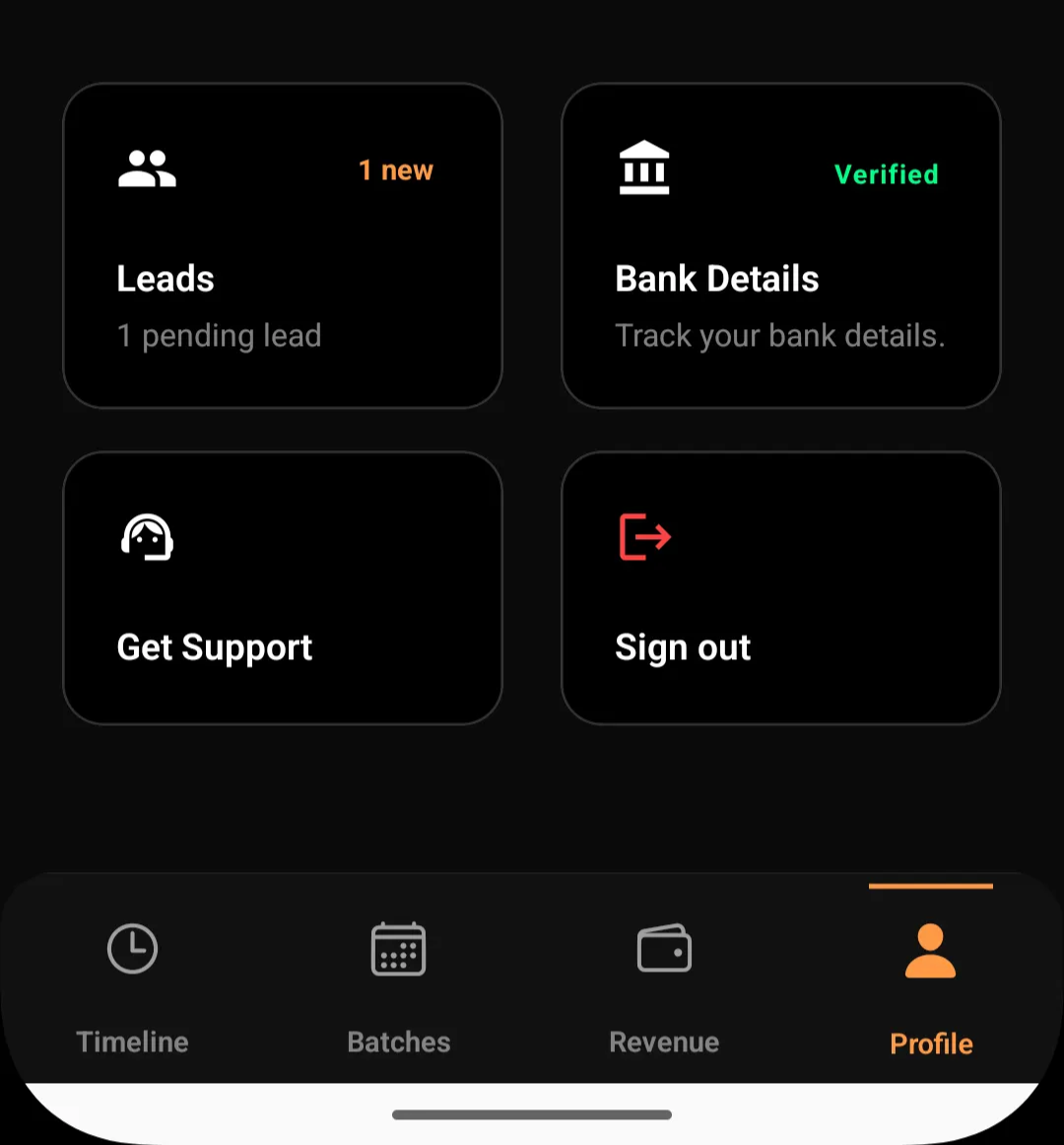
Go to Profile → Leads
Tap on the specific lead you want to convert
Step 2: Choose “Convert”
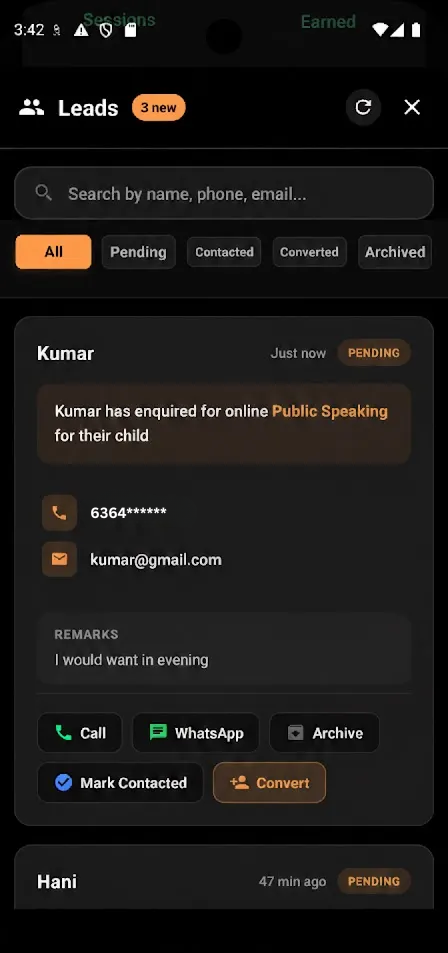
Tap the Convert action from the lead card
This opens the Student Details screen
Step 3: Review and Add Student Information
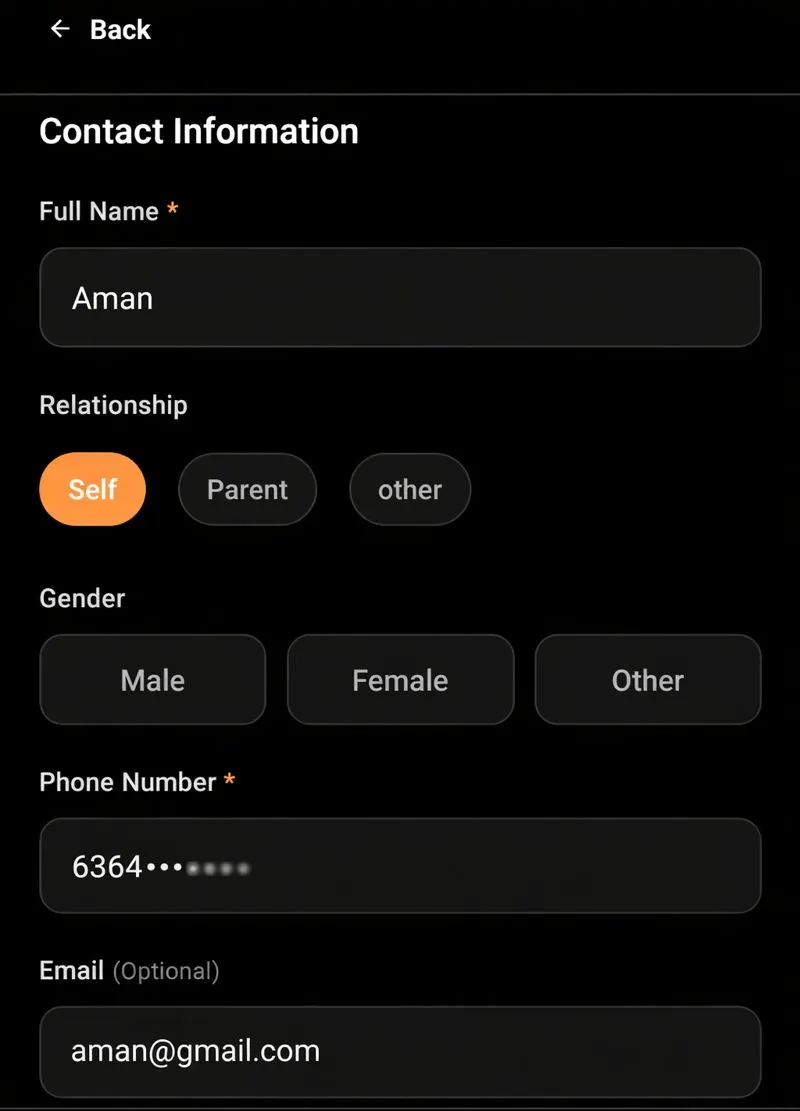
On the conversion screen, you can:
Verify the full name
Select the relationship (self, parent, or other)
Confirm or update gender
Check the phone number
Add or edit email (optional)
All required fields must be completed to save the Student.
This step ensures that the student record is accurate and complete before entering the system.
Step 4: Save Student Details
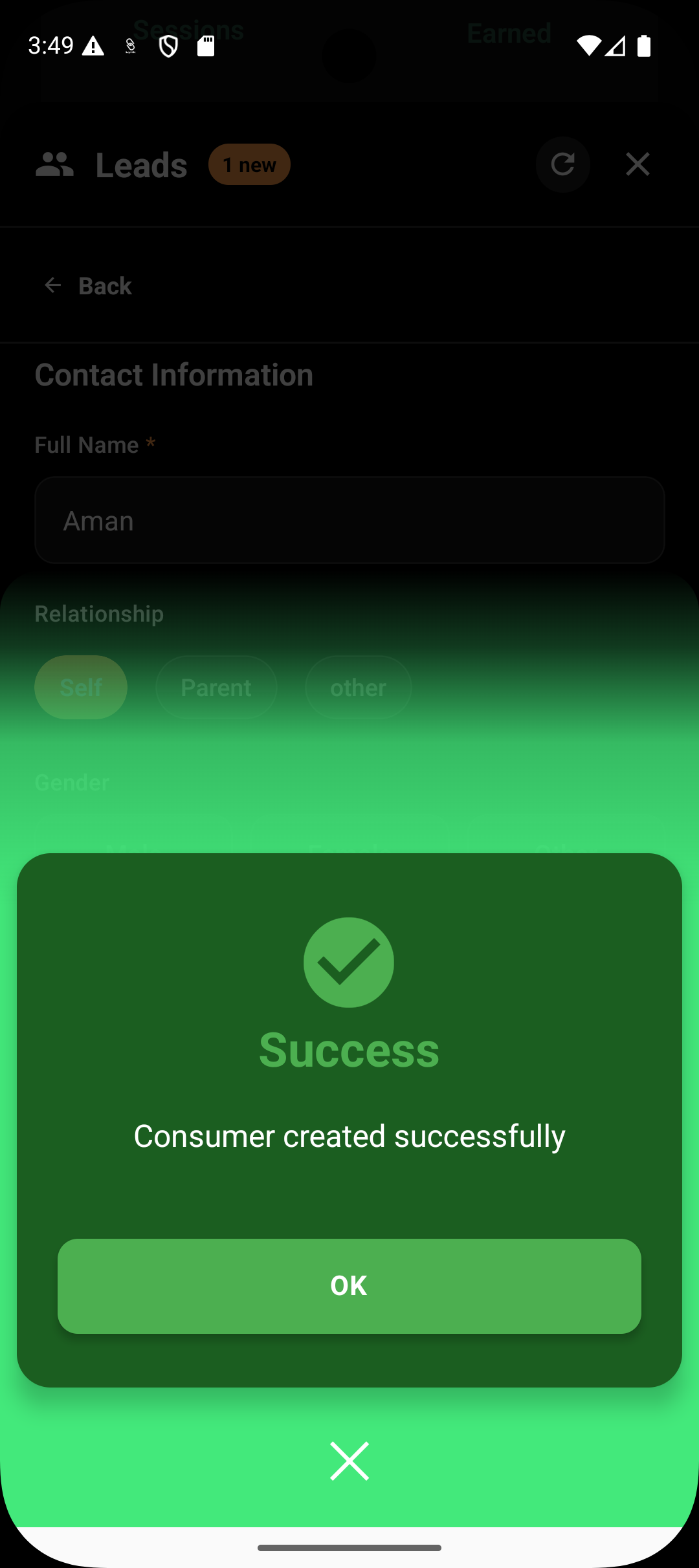
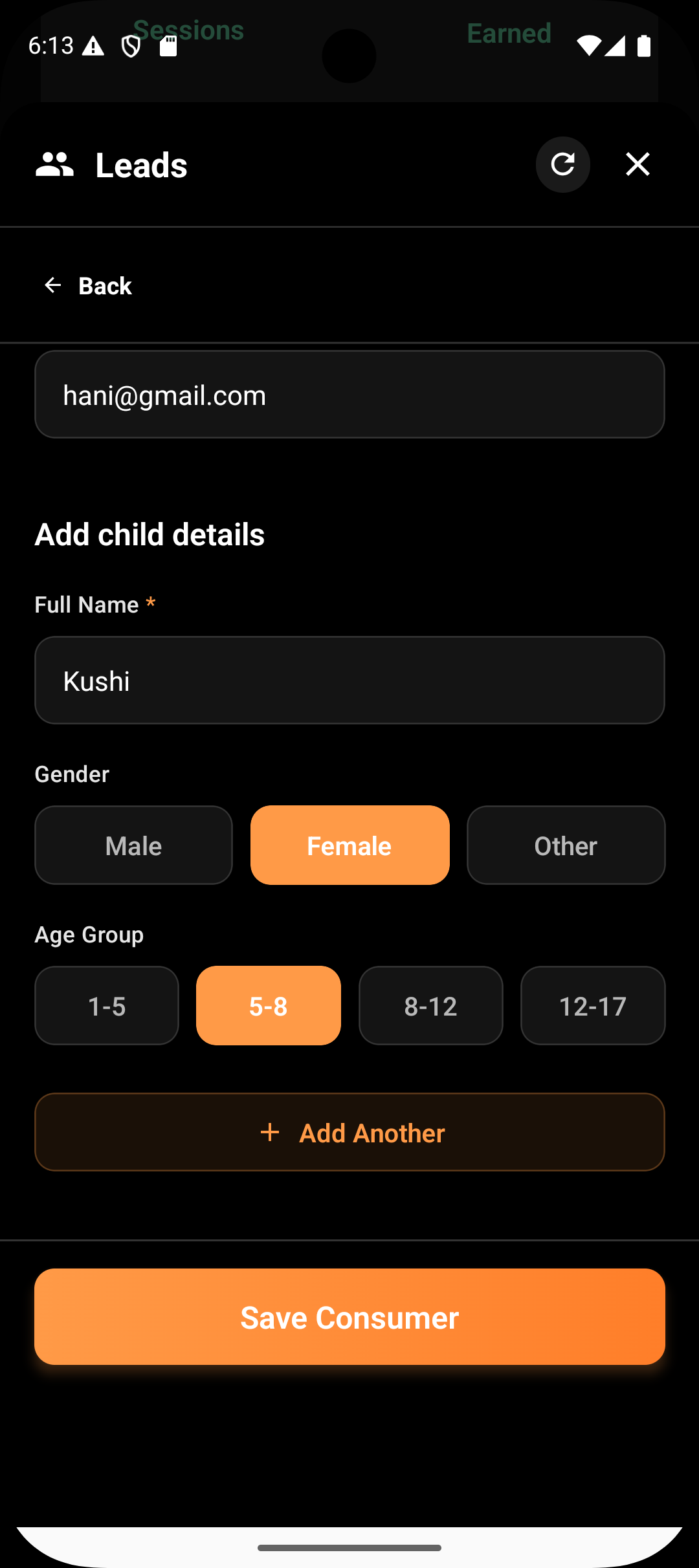
Tap Save Consumer
The lead is now officially converted
What Happens After Conversion
After conversion:
A Student profile is created
The enquiry becomes part of the active system
The coach can now:
Enroll the student into batches
Start attendance tracking
Raise payment requests
Include them in reports and AI analysis
Conversion is a one-way action and cannot be undone.
Enrolling a Converted Student into Batches
Once a student exists:
They can be added to one or more batches
They automatically appear in:
Session rosters
Attendance screens
Progress reports
Enrollment into a batch is a separate step that happens after conversion.
What Conversion Does Not Do
Conversion does not:
Automatically assign the student to a batch
Automatically create a payment request
Schedule sessions
Mark attendance
These actions are controlled independently to keep workflows flexible.
Why Lynk Separates Leads and Students
This separation ensures:
Enquiries do not clutter active class data
Only confirmed participants affect reports
Billing and attendance remain accurate
Coaches stay in control of onboarding timing
A lead becomes a student only when the coach decides.
Summary
Action | Result |
Lead submitted | Appears in Leads |
Lead converted | Inactive Student |
Student enrolled | Active Student |