What data goes into a report
Progress reports are built using coach-entered evaluations, supported by attendance and session context.
Written by Swathi N
Every progress report in Lynk is grounded in real inputs provided by the coach, not automated assumptions or generic summaries. The report reflects what the coach observes, evaluates, and communicates while preparing it, ensuring that each student’s progress is represented accurately and thoughtfully.
While Lynk provides structure and context, the quality and meaning of a report come directly from the data entered during the reporting flow.
Core Data Reviewed & Managed by the Coach
Progress reports are built through a structured evaluation flow, where the coach reviews, adjusts, and confirms each input.
Step 1: Review Defined Skill Areas
Each batch includes a set of predefined skill areas
These skills can be customized based on the activity or program
Coaches review all relevant skills before starting the evaluation
This ensures the report aligns with what is actually being taught.
Step 2: Evaluate Each Skill
For every skill, the system suggests a current stage based on available data
Stages follow a structured progression, such as:Not Started → Practicing → Mastering → Achieved
These indicators create a consistent framework for assessing all students.
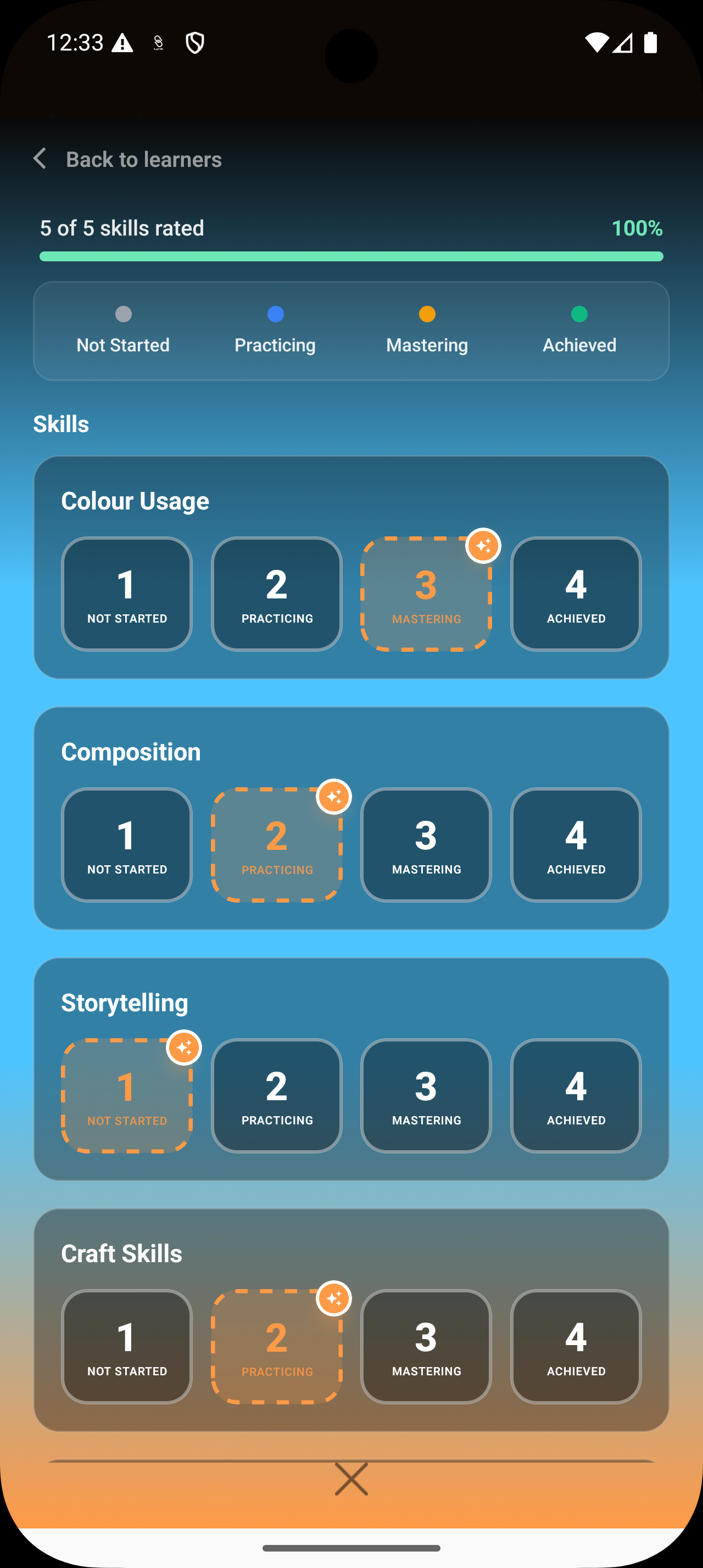
Step 3: Adjust AI Suggestions (If Required)
Coaches can accept the suggested stage if it matches their observation
Or manually update the stage with a single tap
Coach Message
The personalized message is a critical part of the report. Lynk’s AI provides a highly contextual first draft, which the coach can then edit to:
Summarize overall progress in their own voice.
Highlight specific strengths and recent wins.
Set expectations or focus areas for the next cycle.
This message is shared directly with the student or parent and adds human context beyond ratings.
Supporting Context Used During Report Creation
While preparing the report, AI refers to additional data for accuracy and completeness.
Student Attendance
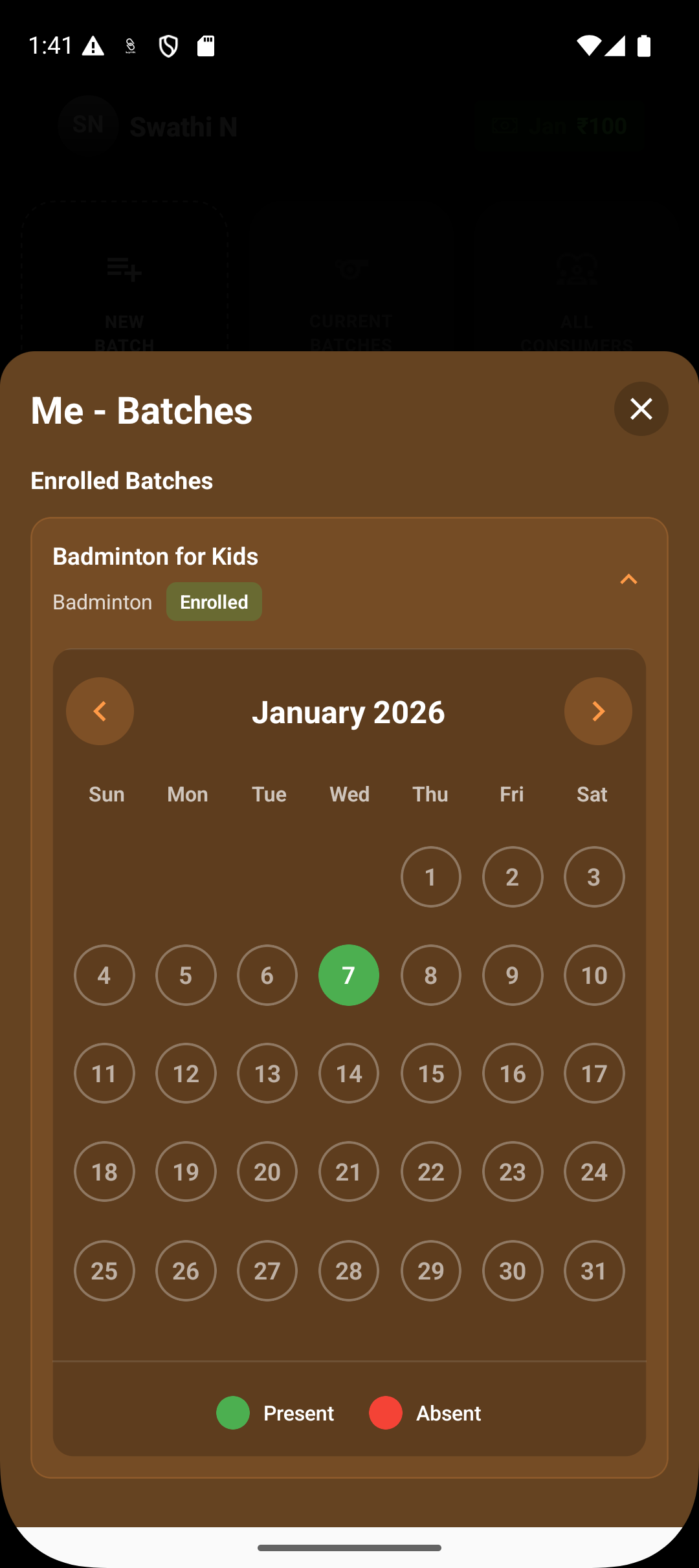
Attendance history helps understand:
Consistency of participation
Missed sessions that may impact progress
Engagement trends over time
This information supports fair and informed evaluations.
Coach Notes
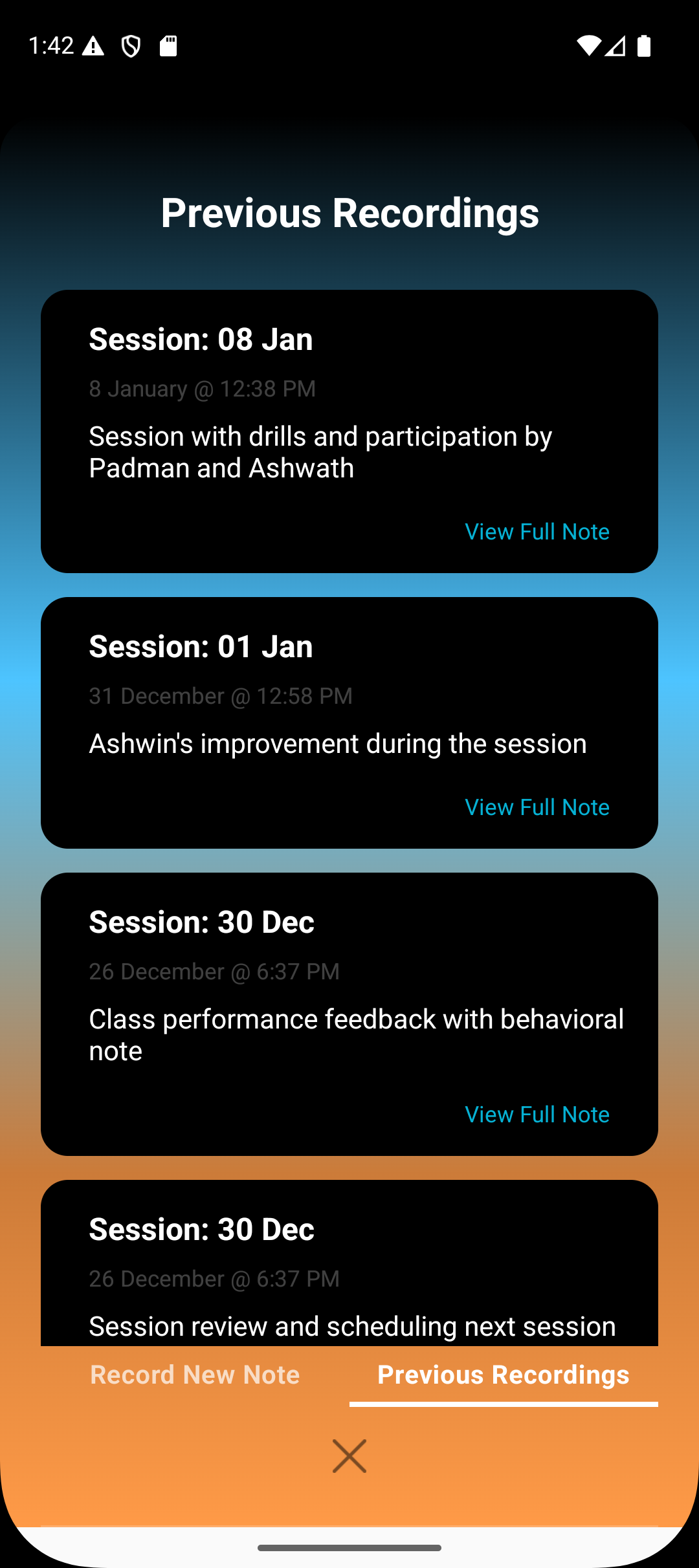
Previously recorded coach notes are referenced to:
Recall session-specific observations
Track behavior or skill patterns
Maintain continuity between sessions and reports
Skill Indicators Captured in the Flow
All ratings selected during report creation are captured as skill indicators within Lynk’s reporting flow. These indicators:
Represent the student’s current stage of development
Ensure consistent interpretation across reports
Allow future comparisons as progress continues
They form the visual and structured backbone of the report.
What the Report Does Not Include Automatically
Reports do not auto-generate feedback without coach input
Past reports are not modified when new ones are created
Attendance and notes are referenced, not edited, during report creation
The coach remains in full control of what is included.
Summary
A progress report in Lynk is built from intentional coach input— skill ratings, technical evaluations, and personalized messaging—supported by attendance and historical notes. Skill indicators captured during the reporting flow ensure clarity and consistency, while the coach’s message provides meaning and direction.
This approach ensures that every report is accurate, personal, and rooted in real coaching experience—not automated guesswork.