Lynk AI: Insights, Reports, Session Planner & Coach Notes
Leverage AI to automate planning, track progress, and improve coaching outcomes.
Written by Swathi N
Lynk Tower’s AI features are built directly into each batch card, helping you generate insights, create session plans, and build student progress reports—all with minimal manual effort.
Where to Access Lynk AI
Go to the Batches tab
Open a batch card
Navigate to the Lynk AI tab
This section brings together all AI-powered tools for that batch.
AI Features Available
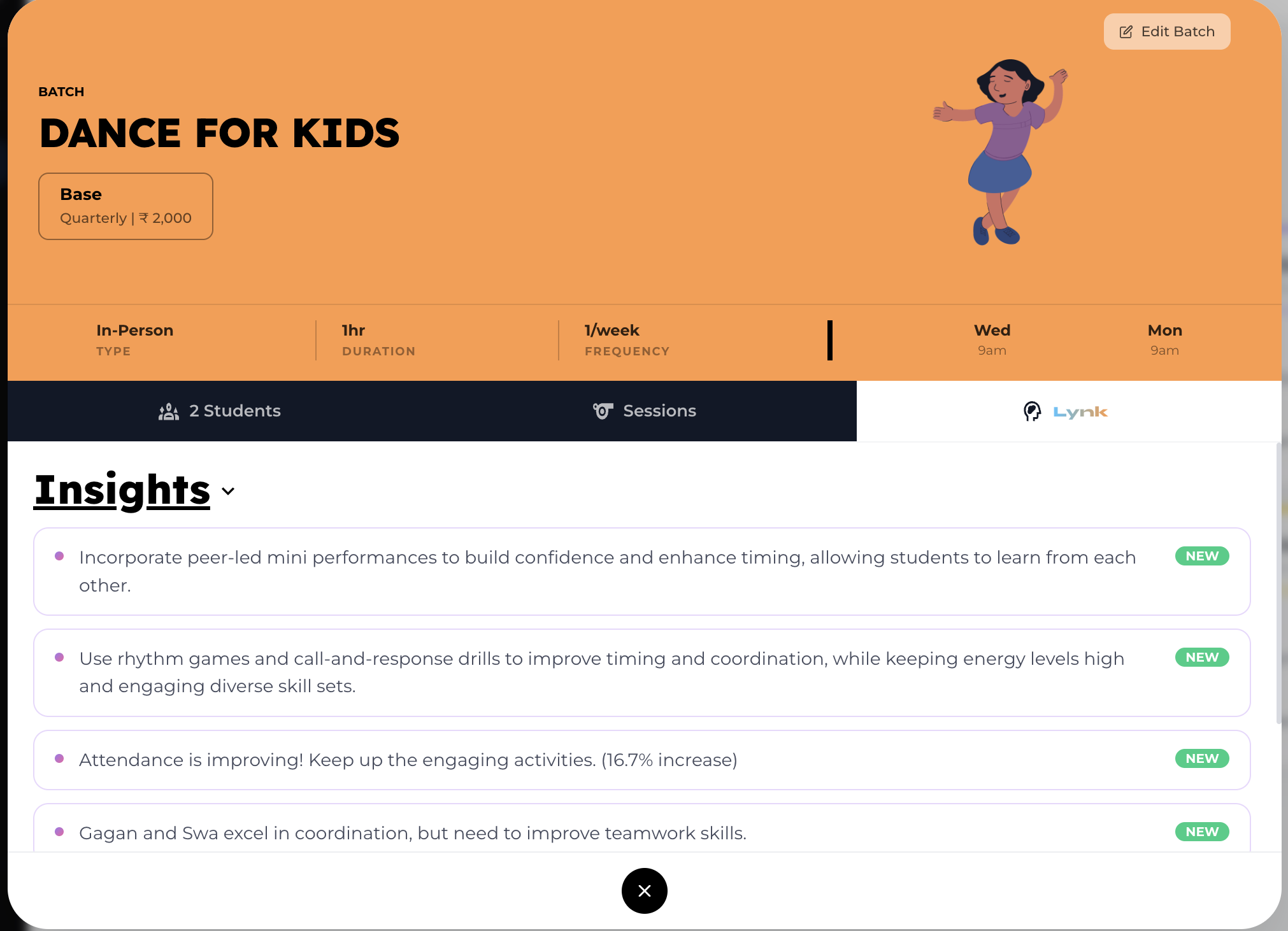
Insights
Get automated observations about the batch
Identify trends like attendance improvement or performance gaps
Receive actionable suggestions to improve sessions
Reports (Student Progress Reports)
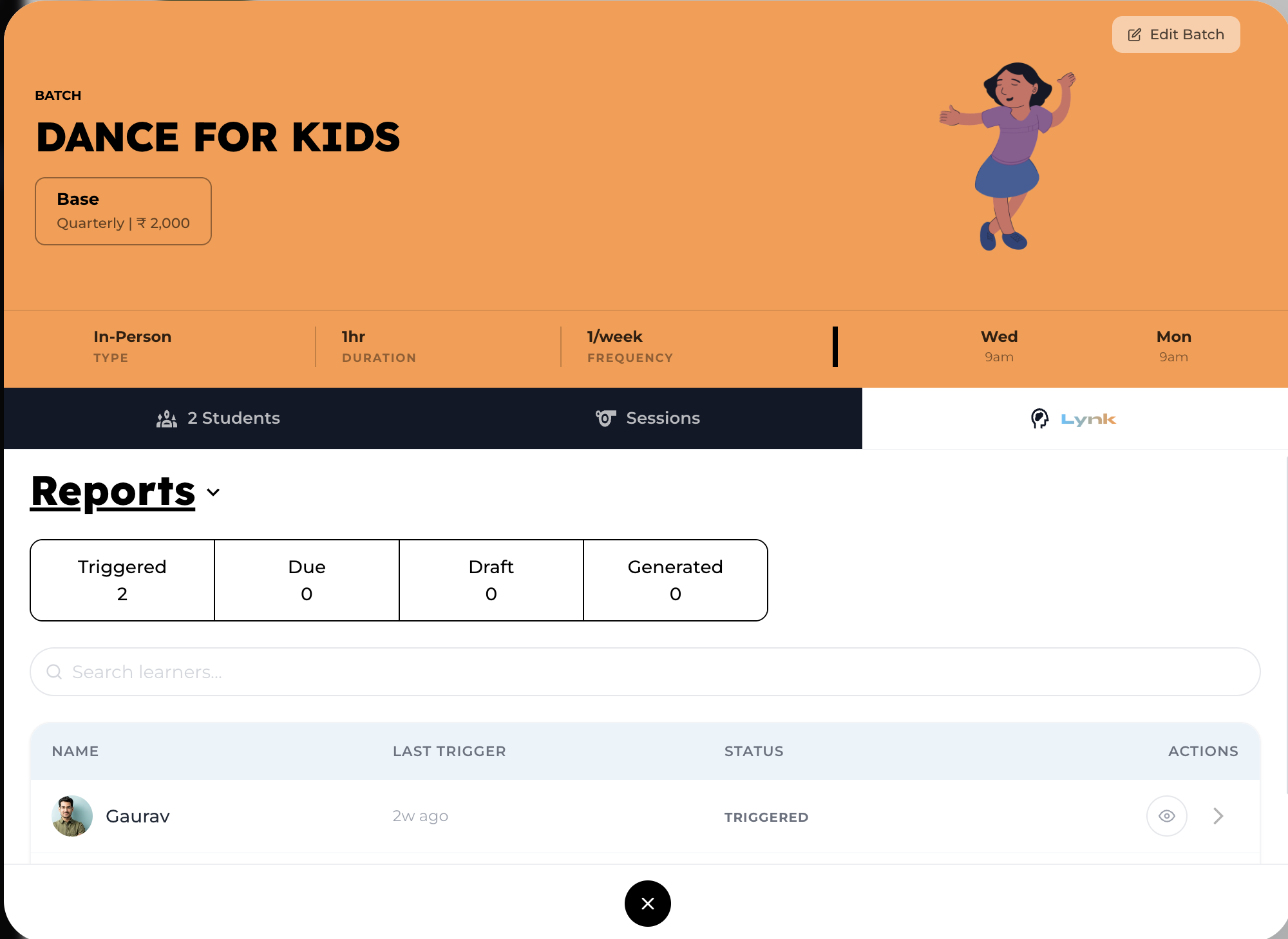
Lynk AI automatically generates progress reports for each student in the batch.
How It Works
The AI uses:
Session history
Attendance data
Coach notes
Previously generated reports
Insights
What You Can Do
View auto-generated reports
Edit and add personalized feedback
Share reports with students or parents
This ensures reports are data-driven, consistent, and easy to create.
Session Planner
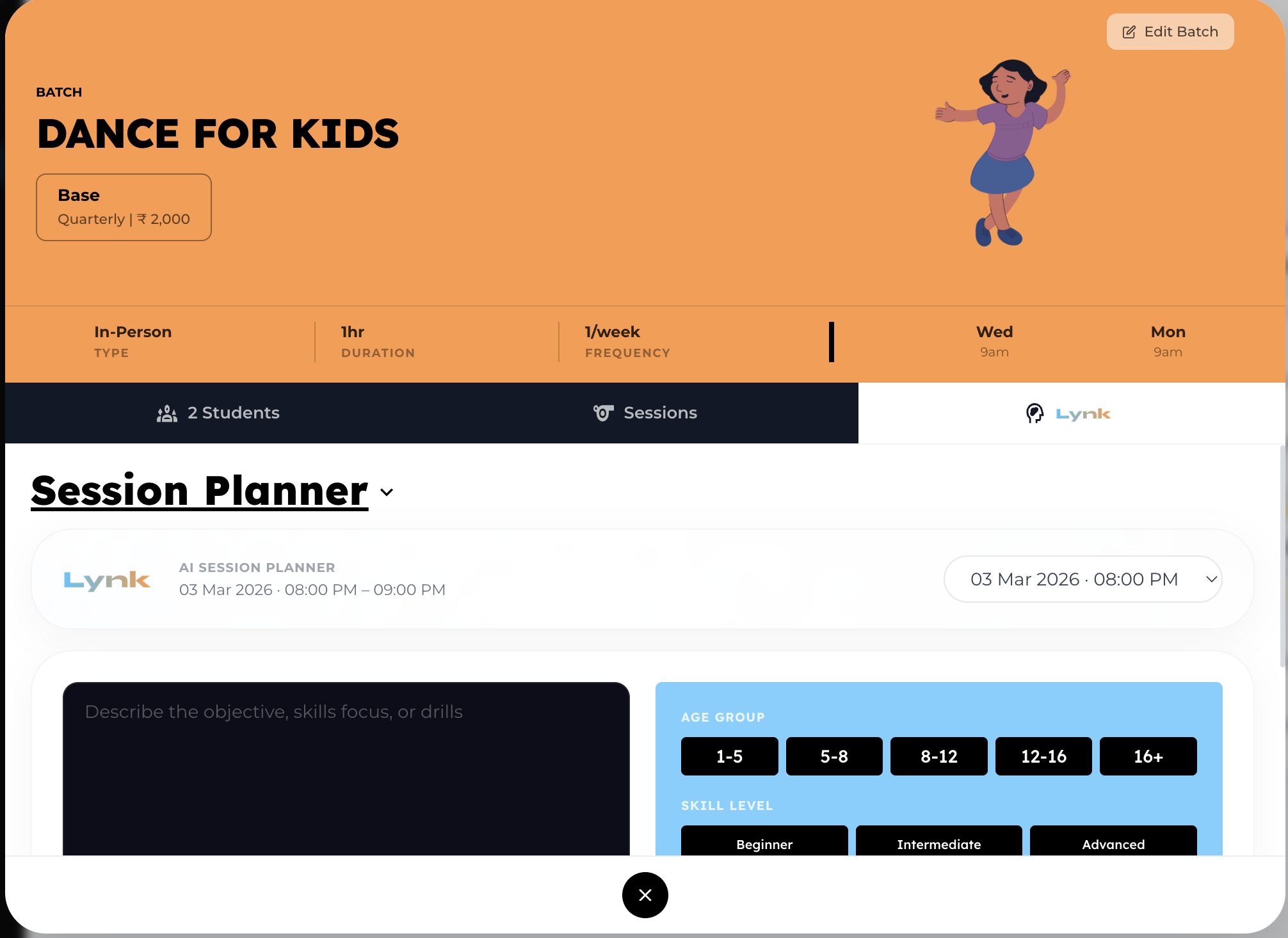
Plan your sessions effortlessly using AI.
Where You Can Access It
Inside each session card
Inside the batch card (view all session plans)
What You Can Do
Generate session plans based on:
Age group
Skill level
Objectives or drills
Use options like:
Previous session notes
Previous session plans
No equipment setup
Additional Controls
Filter sessions (top right) to view plans for specific dates
Regenerate or refresh plans anytime
This helps you create structured, consistent, and engaging sessions.
Coach Notes
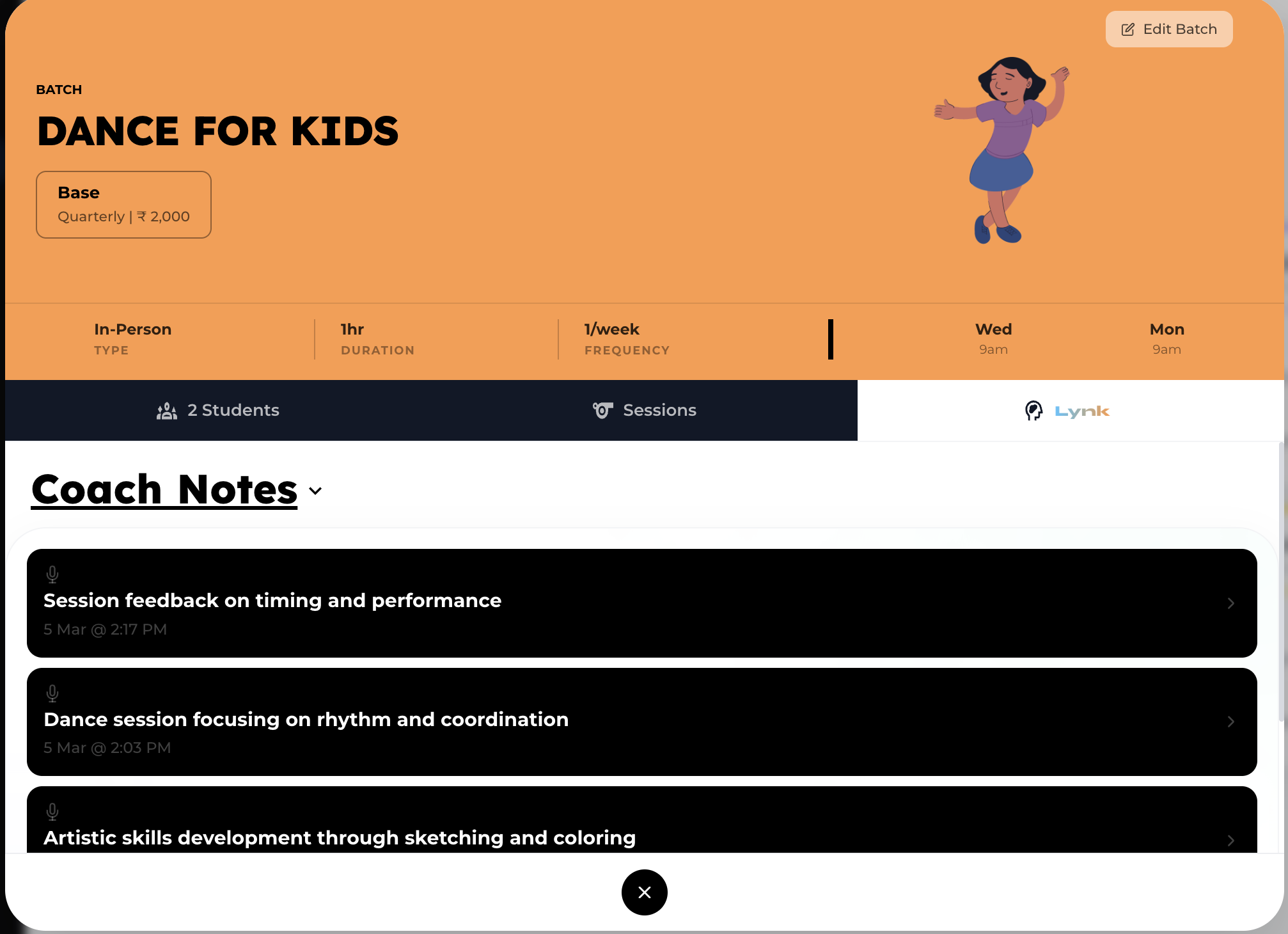
View notes recorded during sessions
Track student-specific observations
Maintain a history that feeds into AI insights and reports
Why Use Lynk AI?
Automates reporting and planning
Reduces manual effort
Improves session quality
Provides data-backed insights
Keeps everything centralized
Best Practices
Regularly update Coach Notes for better AI accuracy
Review Insights to improve sessions
Use Session Planner before every class
Edit AI-generated Reports before sharing
Conclusion
Lynk AI transforms how you manage your batches by combining insights, planning, and reporting into one powerful system. With everything available in one place, you can focus more on coaching while AI handles the heavy lifting.