How coach notes are stored
Notes are stored against the session, with date of recording and also aggregated under the batch, making past recordings easy to review and reuse at a batch level.
Written by Sumit Kapoor
Introduction
Coach notes are saved in a structured way so insights remain easy to access—both at the session level and across the entire batch. This ensures continuity for coaches and accurate context for reporting.
What happens after you save a coach note
Notes become part of the session’s permanent history.
Saved notes appear in Batches>Coach Notes → Previous Recordings.
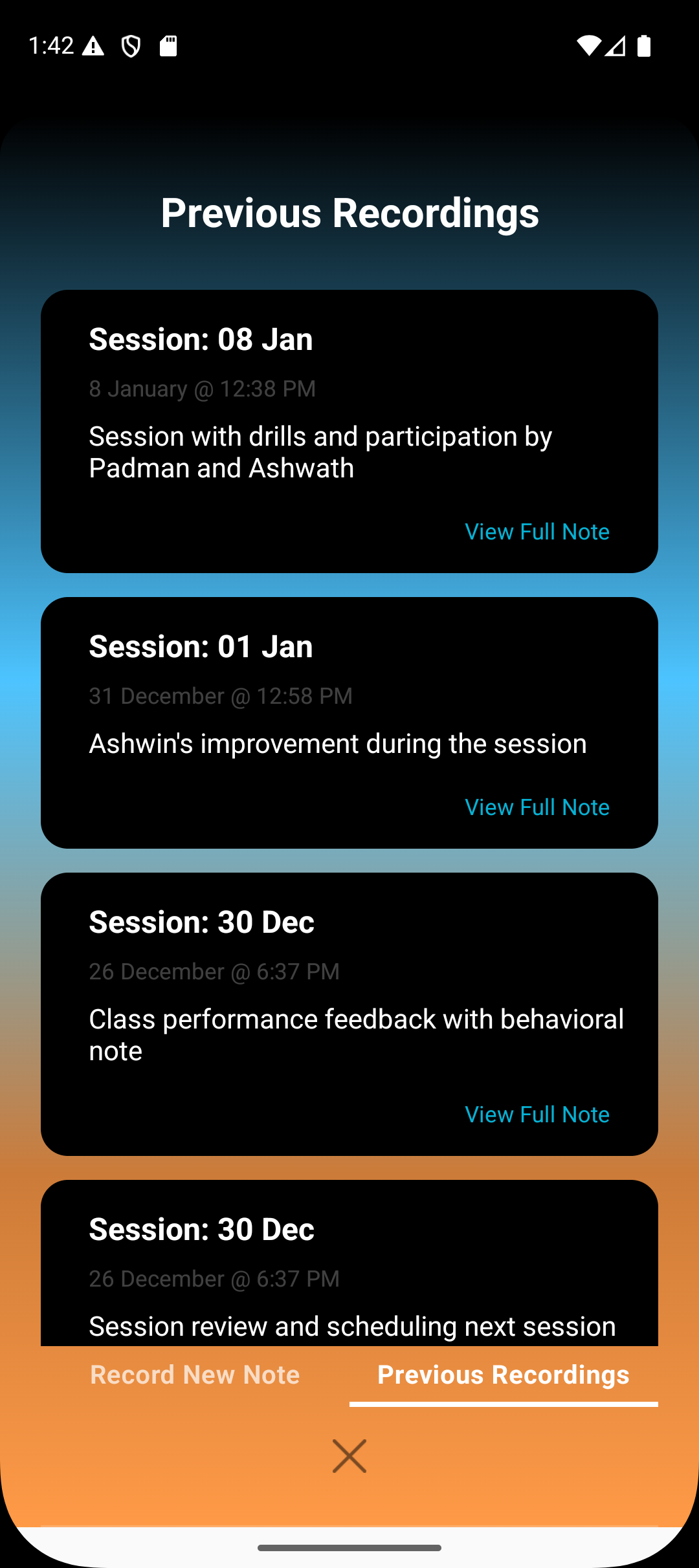
Where coach notes appear
Notes are saved inside the session card where they were recorded.
The same notes are also available in the batch card, showing all session recordings for that batch.
Under the batch view, coaches can see every coach note recorded across sessions.
These notes contribute to progress reports and Lynk AI insights.
Summary
Coach notes are not isolated to a single session. By storing them at both the session and batch level, Lynk ensures long-term visibility, better session continuity, and smarter performance tracking across the entire batch.