Equipment Checklist for a New Music Studio (2026)
By Swathi N ·
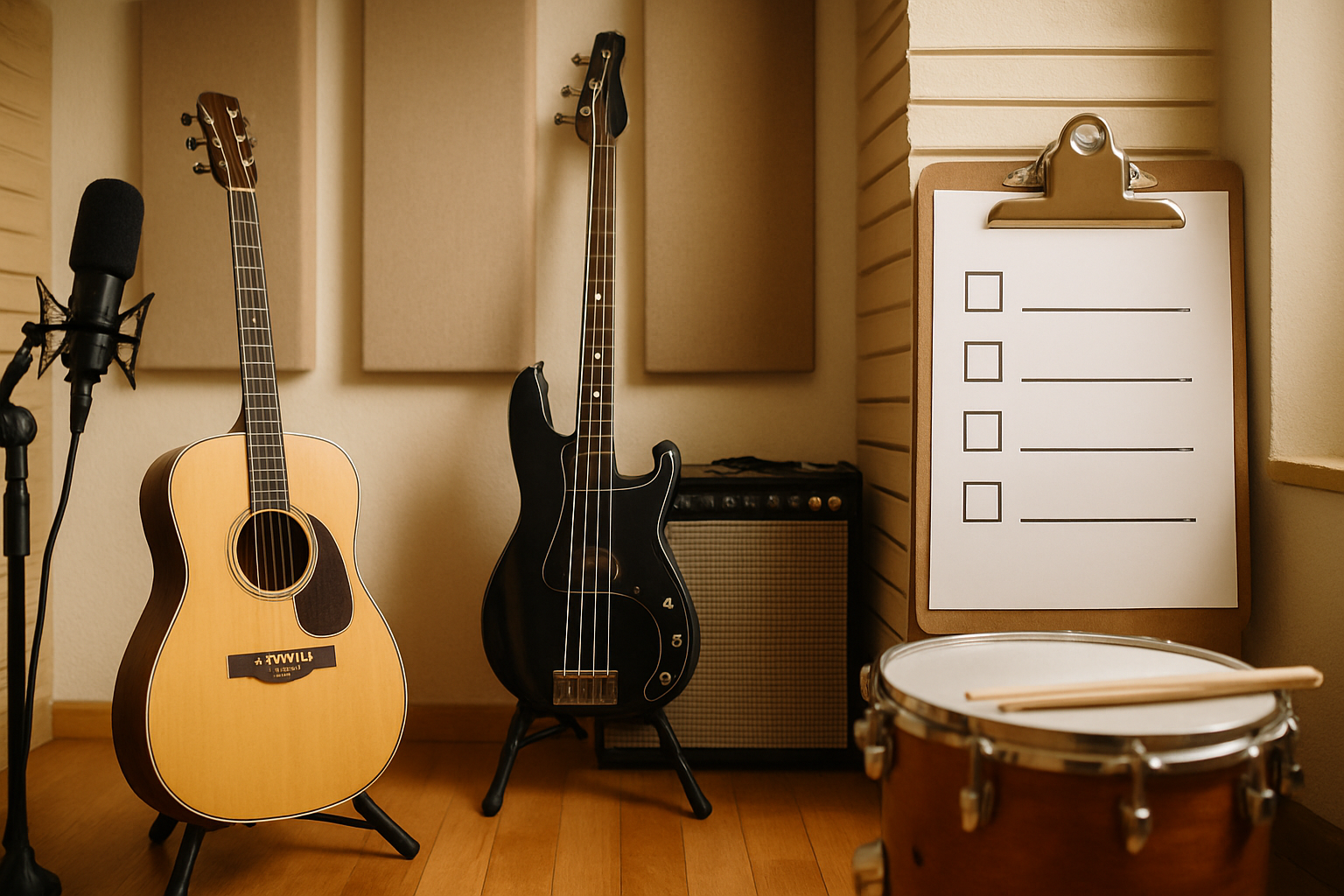
Building a music studio in 2026? The real budget sits between ₹2.9–6.6 lakh. Here's exactly what to spend it on — and what to skip.
Picture this: someone spends three months watching studio setup videos, builds a spreadsheet, feels confident — then gets to the checkout page and realises they've budgeted for maybe half of what they actually need. It happens constantly. But here's the other side of that coin: the gear evangelists on YouTube will just as happily convince you that you need twice what you actually do.
The real number? Somewhere between $3,500 and $8,000 — that's ₹2.9 to 6.6 lakh — gets you a setup that's genuinely professional-quality, not just functional-but-embarrassing. Three categories eat up that budget: your recording and monitoring gear, your instruments and performance tools, and everything that goes into acoustic treatment and studio infrastructure.
Get those three right, and the rest is just taste.
The 10 Essentials
1. Digital Audio Workstation (DAW) Software
Pick one DAW and actually learn it. That's the advice every experienced producer gives, and most beginners ignore it — then spend two years dabbling in four different programmes and mastering none of them.
Your DAW isn't just software. It's the entire nervous system of your studio: every recording pass, every mix decision, every bounce-to-file runs through it. The hardware you buy means nothing without it.
Most working studios in 2026 have settled on a single platform and gone deep on it rather than hopping around. Smart move.
- Cost range (USD): $0–$600 (perpetual licence or subscription)
- Cost range (INR): ₹0–₹50,000
- What to actually consider buying: Ableton Live Standard and Logic Pro X are the two names that keep coming up in supplier listings as of May 2026 — solid mid-tier choices for most setups. Logic Pro X is Mac-only, one-time payment of ₹21,000, which is genuinely hard to argue with. If you're just starting out and already own a Mac, don't overlook GarageBand — it's free, it's real, and it'll take you further than you'd expect before you need to upgrade.
2. Audio Interface
Here's something a lot of first-time studio builders get wrong: they'll spend ₹80,000 on a condenser mic and then plug it into a ₹2,000 USB soundcard. The audio interface is the translator between your analogue world — your mic, your guitar, your keyboard — and the digital world inside your computer. Get this wrong and you're dealing with noise, latency, and a general muddiness that no plugin, no EQ, no amount of post-processing will fully undo.
Budget-wise, you're looking at $100–$400 (roughly ₹8,500–₹33,000) for something genuinely worth owning.
Two models come up constantly in project studio setups: the Focusrite Scarlett 2i2 (4th gen) and the PreSonus AudioBox USB 96. Both give you 2-channel inputs, both are built to industry-standard specs, and both have been workhorses in home and project studios long enough that the support communities around them are enormous — which matters when something goes sideways at 11pm before a session.
Either one will serve you well. The Scarlett has a slight edge in brand recognition; the PreSonus competes on price at the lower end. Pick one and move on — this isn't a decision worth agonising over.
3. Studio Monitor Speakers
Get a pair of 5-inch nearfield monitors — that's the move for any home or small studio setup. Don't overthink it at this stage.
Here's why it matters: the speakers you use to mix will make or break how your music sounds everywhere else. Consumer speakers (your laptop, your Bluetooth party box, whatever) are tuned to make things sound good — boosted bass, hyped highs, the works. Studio monitors don't do that. They're deliberately flat, deliberately honest, and that honesty is exactly what you need when you're making decisions about your mix. If it sounds right on monitors, it'll translate — to phone speakers, earbuds, car stereos, the lot.
For most people starting out, the Yamaha HS5 or the KRK Rokit 5 G4 are the obvious choices. Both sit in that prosumer sweet spot where you're getting genuine professional-grade response without spending absurd money, and both are easy to source through major distributors in India.
- Cost (USD): $200–$700 per pair
- Cost (INR): ₹17,000–₹58,000
4. Condenser Microphone (Large Diaphragm)
— and this is where a lot of people overspend right out of the gate. You don't need a mic locker. You need one condenser that captures vocals, acoustic guitar, and room ambience without making you fight the recording.
Budget somewhere between $100 and $400 (roughly ₹8,500 to ₹33,000), and honestly, two models cover most of what beginners need: the Audio-Technica AT2020 or the Rode NT1 (5th gen). The AT2020 is the reliable workhorse — unglamorous, solid, does the job. The Rode costs a bit more but comes with a built-in pop filter and has a self-noise floor that's genuinely impressive for the price bracket. Quieter than mics that charge you twice as much. That matters more than most people realise until they're deep in a session and hear that hiss sitting under everything.
Start with one. Just one.
5. Closed-Back Studio Headphones
Do you actually need headphones if you've already got monitors? Short answer: yes — and the reasons stack up fast.
Late-night sessions where you can't crank the speakers. Tracking a vocalist while you need to listen in without bleeding sound into their mic. Checking a mix on something other than your room, which — let's be honest — is never perfectly treated anyway. Closed-back headphones handle all of it.
The closed-back part isn't a minor detail. Open-back headphones leak audio outward, and that bleed gets picked up by live mics during tracking. Not ideal. Closed-back keeps the sound sealed in, which is exactly what you want when a vocalist is recording two feet from a condenser.
Budget-wise, you're looking at $80–$200 (roughly ₹6,500–₹16,500) for something that'll actually do the job. Two models dominate this price bracket for good reason — the Sony MDR-7506 has been on professional studio floors for decades (genuinely, decades), and the Audio-Technica ATH-M50x has become the go-to for engineers who want a bit more low-end representation. Neither will disappoint you at this price point.
6. MIDI Controller / Keyboard
Picture this: you're staring at a piano roll, clicking in notes one by one with a mouse, watching an hour disappear before you've finished a single bar. A MIDI keyboard kills that problem entirely — and you don't need to be a pianist for it to be useful.
Beats, samples, virtual instruments — you can trigger all of it from a controller. Even basic melody ideas land faster when your hands are on keys instead of hunting for a cursor. For most producers just getting started, a 25–49 key controller is genuinely all you need. Nothing bigger.
The two models worth your attention at this budget:
- The Arturia MiniLab 3 — compact, bus-powered (no separate power cable), and it ships with a solid software bundle straight out of the box.
- The Akai MPK Mini MK3 — same idea. Tiny footprint, USB-powered, comes with software. The pads on this one are particularly good for beat programming.
Both sit comfortably in the $80–$350 (roughly ₹6,500–₹29,000) range. Either one will do the job.
7. Acoustic Treatment Panels
Here's the mistake almost everyone makes: they buy gear first, then wonder why everything sounds muddy and the high-end is harsh and nothing translates to other systems. The room is the problem. It was always the room.
Flutter echo and bass build-up — those two things alone will trash your mixing decisions before you've even touched a fader. And the fix doesn't require turning your studio into an anechoic chamber. You don't want a dead room. What you want is controlled: corner bass traps pulling the low-end build-up out of the worst spots, a few wall panels breaking up flutter, and suddenly the space actually tells you what's happening in your mix.
Smaller rooms need this more, not less. Physics isn't negotiable.
Budget: $150–$600 USD (₹12,500–₹50,000) gets you a functional basic panel set. GIK Acoustics is the name that keeps coming up among studio designers — broadly trusted, reasonably priced. But if you're handy and watching costs, the DIY route is genuinely viable: Rockwool-filled timber frames covered in acoustically transparent fabric cost significantly less than branded panels, and they work. Supplier pricing as of May 2026 makes this the most cost-effective entry point for most home builds.
8. Studio Desk / Workstation
Your desk is doing more work than you realise. It's not just a surface — it's positioning your monitors, holding your interface at arm's reach, and keeping your keyboard from wobbling mid-session. Get that geometry wrong and you're fighting your room instead of working in it. Do it daily while teaching students, and the posture damage compounds faster than you'd expect.
Budget somewhere between $200 and $600 (roughly ₹16,500 to ₹50,000) and you've got solid options without touching the custom-build territory.
Two worth looking at: the On-Stage Stands WS7500 and the Hercules Studio Furniture DG100B. Both come with monitor shelves built in — which matters, because propping monitors on books or foam blocks is a workaround, not a solution — and both handle cable management decently. Neither will win any design awards, but they do the job cleanly at a price that doesn't hurt.
9. Pop Filter and Microphone Stand
Here's something that trips up a lot of first-time studio builders: they spend weeks agonising over the right microphone, then prop it on a wobbly desk stand and skip the pop filter entirely. The recording sounds terrible and they can't figure out why.
Don't do that.
A pop filter is a dead-simple piece of mesh that sits between the singer's mouth and your mic capsule. Its entire job is catching plosives — those hard P and B sounds that hit the diaphragm like a gust of wind and show up in your recording as a low, ugly thud. Without one, you'll be editing them out manually for the rest of your life. With one, the problem mostly disappears.
The stand matters too, and not in a subtle way. A boom arm that vibrates, creeps out of position mid-take, or collapses under the mic's weight will quietly ruin your sessions. A solid one just... stays where you put it. That's the whole requirement.
- Cost range (USD): $20–$80 (both together)
- Cost range (INR): ₹1,700–₹6,500
- Worth knowing: The Rode PSA1 boom arm is a genuine step up from the flimsy desk stands most beginners start with — if the budget's there, it's worth it. If not, a generic gooseneck stand does the job fine while you're getting started.
10. Computer (Mac or PC)
If you already own a decent computer, use it — at least to start. If you don't, this is the one item on this list where going cheap will genuinely cost you later. For 2026 production work, the floor is 16 GB RAM and a fast SSD (512 GB minimum). Anything under that and you'll hit walls fast: sluggish plugin loads, stuttering playback, sessions that choke somewhere around track 20.
Processor matters too, obviously. A mid-range Intel Core i7 or AMD Ryzen 7 handles most project studio workloads without complaint. Apple Silicon Macs (the M4 Mini especially) have become a genuinely compelling option for home and project studios — low heat output, low latency, surprisingly quiet. Not cheap, but they hold up.
- Cost range (USD): $800–$2,000
- Cost range (INR): ₹66,000–₹1,65,000
- Brand/model: Mac Mini M4 for a desktop setup, or a mid-range Windows PC built around an Intel Core i7 or AMD Ryzen 7. (Pricing based on supplier listings, May 2026.)
> Related reading: If you're building out a multi-use training facility alongside your music studio, the Equipment Checklist for a New Gym & Fitness Studio (2026) covers a similar budgeting approach for physical spaces.
Recommended Add-ons
— and these aren't strictly essential, but you'll feel their absence within the first month.
Take the Shure SM58 or SM7dB. If your room isn't acoustically treated (and most home studios aren't, not properly), a condenser mic will pick up every creak, rattle, and air-conditioning hum in the building. A dynamic mic is blunter, tougher, less fussy — and for live vocals, podcasting, or anything coming out of a guitar amp at volume, that's exactly what you want.
A passive DI box is one of those things that costs almost nothing and solves an annoying problem permanently. Tracking electric guitar or bass direct — straight into the interface, no amp — produces a thin, noisy signal without one. The Radial J48 is what you'll find in professional session rigs the world over. There's a reason for that.
If you're running any kind of teaching studio, a standalone synthesiser or full 88-key weighted keyboard changes the room. Students can actually feel what they're playing. A small MIDI controller is fine for production work, but it's not a teaching surface — the weighted keys matter more than most people admit until they've tried both.
Storage. Session files are enormous, and they multiply faster than you'd expect. A dedicated 2TB external drive (bare minimum) keeps your main drive from choking, and if you're recording paying clients, having a working backup isn't optional — it's the difference between a professional studio and an embarrassing conversation.
The Behringer HA400 — a basic 4-way headphone amp — costs almost nothing and becomes indispensable the first time you have two people in the room who both need a mix. You won't anticipate needing it until you do, and then you'll wonder how you managed without it.
Last thing: buy more cables than you think you need. Four balanced XLR cables and two TRS from day one. Studios burn through cables constantly — they go missing, develop faults, get borrowed and not returned. Starting short on cables is a guaranteed minor disaster.
Optional Gear by Studio Style
Production-focused studio (beatmaking, hip-hop, electronic)
Picture this: it's 2 AM, you're deep in a session, and you're building a kick pattern that hits exactly right in your headphones — but the moment you play it on anything else, the low end is mush. That's the production studio problem in one sentence.
The centrepiece here is your pad controller or drum machine. Roland TR-8S and the Akai MPC One+ are both solid choices — the TR-8S if you want that hands-on hardware feel for live rhythm programming, the MPC One+ if you want something closer to a full standalone production environment. Either way, this is the gear you'll be touching constantly, so don't cheap out on it.
Sample libraries matter more than most beginners expect. A lot.
And don't sleep on your backup situation. Beats disappear. Drives fail at the worst possible moment (always at the worst possible moment), so a fast cloud backup system isn't optional — it's just part of the workflow now.
Acoustic treatment? Honestly, less of a priority here than in a tracking or mixing room, because the bulk of production work happens in headphones anyway. But here's the thing: headphones alone will lie to you about your low end. A subwoofer supplement alongside your monitors fixes that — it gives you a physical reference for what's actually happening below 80Hz, which is where most of your bass and kick decisions live.
Vocal recording and songwriting studio
Here's the mistake most home vocal setups make: they spend everything on the microphone and nothing on what comes after it. A decent mic into a mediocre preamp still sounds mediocre. Drop the Universal Audio Volt 276 between your interface and your mic, and you'll hear the difference immediately — it's not subtle.
Room treatment is the other thing people put off forever. If you can't treat the whole space (and most people can't, realistically), a reflection filter mounted directly on the mic stand does a surprisingly decent job of killing the worst of it.
And if you're actually writing lyrics at this desk — not just recording, but drafting, editing, switching between a notes app and your DAW — a secondary display earns its place fast. One screen for the session, one for the words. Dead simple, but you'll wonder how you managed without it.
Music teaching and tutoring studio
Two sets of headphones. Non-negotiable. One for you, one for the student — and if you're doing any kind of hybrid teaching, you already know how quickly a lesson falls apart without proper monitoring on both ends.
You'll also need a second chair (obvious, but people forget to budget for it) and an instrument stand that's actually positioned for the student rather than shoved in a corner. A camera or webcam matters more than most new studio owners expect — even if 90% of your lessons are in-person right now, that can shift fast.
For theory work, a whiteboard earns its keep in ways a verbal explanation simply can't. If you'd rather go digital, an iPad running forScore or a similar notation app does the same job and takes up considerably less wall space. Either way, don't skip this — the moment you're trying to explain a time signature by humming it at someone, you'll wish you had something to write on.
Live recording / band rehearsal studio
Here's the honest truth about live rooms: they're a different animal entirely. You can't just scale up a home setup and call it done — the acoustic isolation requirements alone will eat a chunk of your budget before you've bought a single piece of gear.
For the interface, forget the basic two-channel options. You'll need something in the 8-channel range — the Focusrite Scarlett 18i20 is the go-to here, and for good reason. Multiple guitarists, a drummer, a vocalist, maybe a keys player all tracking simultaneously? You need the headroom. Direct input options for the guitars, solid-core cabling run properly through the room (not just gaffer-taped across the floor), and either a basic acoustic kit or an electronic one depending on your isolation situation.
The drum kit question, by the way, is where most first-time studio owners get stuck. Electronic kits are the pragmatic call if your walls aren't thick enough. Acoustic kits sound better but demand proper treatment — and proper treatment costs money.
Speaking of which: ₹5–10 lakh is a realistic number for a functional live tracking room. Not a wish-list figure — an actual floor.
Where to Buy by Region
US
- Amazon US — If you just need cables, headphones, or a new interface by Thursday, this is where you go. Nearly every major audio brand ships Prime, so turnaround is fast and returns are painless.
- Sweetwater — Serious gear purchase? Don't skip this one. They assign you an actual sales engineer who knows the products, follows up after you buy, and won't let you walk away with something that doesn't match your setup. It's the closest thing to a real consultation you'll find online.
- B&H Photo/Video — Strong on mics, studio monitors, and furniture — and their bundle pricing is genuinely competitive, not just marketing fluff. Worth checking before you commit elsewhere.
- Guitar Center — The one place where you can actually put your hands on something before buying it. Walk in, A/B a few monitors, feel how a mic feels on a stand. They'll also price-match online retailers, so you're not paying a premium for the privilege of testing in person.
UK
- Amazon UK — cables, stands, pop filters, entry-level everything. Fine for accessories; don't expect specialist advice.
- Andertons Music Co. — genuinely worth bookmarking. Their demo videos are detailed enough that you can make a confident buying decision before anything arrives at your door, and their pricing on interfaces and monitors is competitive without being suspiciously cheap.
- Thomann (ships to UK) — yes, they're based in Germany, and yes, post-Brexit shipping is a thing. Do the maths anyway. Europe's largest music retailer moves enough volume that even with shipping factored in, they frequently undercut domestic UK prices — sometimes by a meaningful margin.
EU
- Thomann (thomann.de) — if you've spent any time in European studio circles, you already know this one. It's basically the default. Wide catalogue, reasonable prices, and shipping that actually reaches most EU countries without a two-week wait.
- Amazon DE — not glamorous, but genuinely useful when you need a software licence or a specific cable delivered by tomorrow. Don't overlook it just because it's not "gear-specific."
- Decathlon — hear me out. This isn't where you buy microphones. But for acoustic foam, shelving, furniture, and the general physical setup of a room? Surprisingly solid, and usually a lot cheaper than going through audio-specialist retailers for that stuff.
India
- Amazon India — honestly, start here. Focusrite, Audio-Technica, Sony — the branded stuff arrives fast if you're in a major metro, and the return process is far less painful than dealing with grey-market sellers.
- Bajaao.com — this is the one most serious home-studio builders eventually find. Specialist music retailer, ships nationwide, and they've got a Mumbai showroom if you'd rather hear something before you buy it. Good range of recording equipment across price points.
- Furtados Music (Mumbai, with an online store) — been around long enough that they know what they're selling. Instruments and studio gear both, and the staff actually understand the difference between a preamp and a DI box.
- Bharat Book Centre (Delhi) — long-running supplier with solid pricing on professional audio. Not flashy, but consistent — and on pro-audio gear, consistent pricing matters.
- Reynolds Music Centre (Bengaluru) — worth visiting in person if you're kitting out a studio and want to actually demo the gear before committing. Studio and PA equipment, in-person demos available.
Mistakes New Studios Make
1. Buying acoustic treatment last. This is the single most common budget mistake, and it's almost universal. New studio owners pour money into gear, then hang a couple of panels as an afterthought — if they bother at all. The result? Mixes that sound completely different on every set of speakers they're tested on. Sort the room out first. Even a modest panel setup will make your recordings usable in a way that no microphone upgrade ever could.
2. Prioritising the mic over the interface. A ₹40,000 condenser running through a cheap interface will genuinely sound worse than a ₹12,000 mic plugged into a decent one. The interface sets your noise floor — everything upstream of it is already compromised if that foundation is weak. Buy the best interface your budget allows, then work up to the fancier mic.
3. Speccing the computer too tight. Ten tracks today becomes thirty tracks in eight months. Audio production doesn't get lighter as you learn more — it gets heavier. The machine that just barely handles your current sessions will buckle under the weight of future ones. If you're buying new hardware right now, go one tier higher than what you think you need. You'll thank yourself.
4. No cable management plan. It sounds like a housekeeping detail. It isn't. Tangled, unplanned cable runs introduce hum, create real tripping hazards mid-session, and turn basic troubleshooting into a forty-minute hunt. Decide where every cable goes before a single piece of gear gets racked. Fixing it afterwards is far worse than planning it once.
5. Ignoring studio management tools until it's too late. The WhatsApp-plus-Google-Sheets setup works fine until it doesn't — usually around the point where you're juggling eight students, chasing three payments, and manually typing out session certificates at midnight. Most new studios hit this wall and spend hours every week on admin that a proper platform would handle in minutes. Tools like Lynk's free fee invoice generator and free certificate generator take care of those specific workflows without adding to your software costs. And if you're already thinking beyond a solo operation, Best Coaching Management Software For Academies (2026) is worth reading before you commit to anything.
Frequently Asked Questions
How much does it really cost to set up a basic music studio?
Here's the honest number: somewhere between $3,500 and $8,000 if you're in the US, or ₹2.9 to ₹6.6 lakh if you're buying in India. That range gets you all 10 essentials — clean vocal recording, a working production setup, a space where you can actually teach. Not luxury. Not bare minimum. Functional.
You can get it done for under $2,000 (sub-₹1.6 lakh) if you've already got a decent computer sitting around and you're willing to handle acoustic treatment yourself — foam panels, some DIY corner bass traps, the usual. That works. But push the budget much lower than that, and things start breaking down in ways that are hard to explain to a client when their vocal take sounds like it was recorded in a bathroom.
The floor exists for a reason.
Do I need a soundproofed room before I start?
Short answer: no. And that confusion trips up a lot of people who delay buying gear for months waiting until they can "properly soundproof" a room — only to realise they didn't need to.
Here's the distinction that actually matters. Soundproofing (think mass-loaded walls, floating floors, double-paned glass) is about stopping sound from crossing between rooms. Acoustic treatment — panels, bass traps, diffusers — is about controlling what sound does inside your room. These are not the same thing, and you don't need both to get started.
Most new studios only need acoustic treatment.
You can absolutely record and produce in a treated but not soundproofed space. The recordings won't suffer because your walls aren't decoupled from the floor. They will suffer if your room has terrible flutter echo and you haven't put up a single panel — so fix that first, it's cheap and genuinely makes a difference.
Now, if you're in a shared building and planning to mic up a drum kit or a loud amp, that's a different conversation. Neighbours become a practical concern pretty fast. But even then, isolation isn't a prerequisite for getting started — it's something you address when the situation demands it, not before you've spent a single rupee on a microphone.
Can I build a studio with just a laptop and an interface to start?
Probably already asking yourself this, aren't you? Good news: yes. Absolutely yes. A laptop, a 2-channel interface, one decent condenser mic, and a pair of headphones — that's a functional recording setup, full stop. Plenty of working producers are still running exactly that configuration, not because they can't afford more, but because it genuinely gets the job done.
The gaps are real, though. No studio monitors means you're mixing on headphones and hoping it translates. No acoustic treatment means your room is doing whatever it wants to your recordings. Limited processing power will eventually make itself known — usually right in the middle of a session with too many plugins open. But here's the thing: none of that kills you on day one. These are problems that show up through use, which means use is how you find them.
Start with what you've got. Add gear in the order that's actually slowing you down — not in the order some forum post told you was "essential".
> Ready to manage your studio sessions, invoicing, and student records in one place? Start your free trial of Lynk